







































Highlights
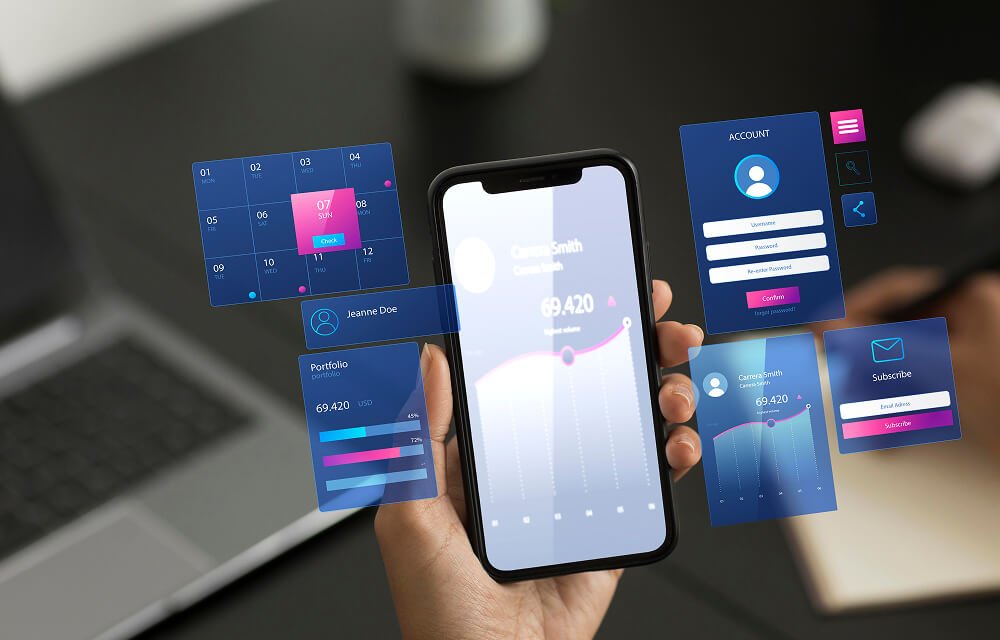
UI/UX Design
User-first, visually engaging interfaces crafted to enhance usability, boost engagement, and deliver seamless digital experiences.
Branding
Strategic brand identities that communicate your vision, build trust, and create a memorable presence across all touchpoints.
Wireframing
Structured layouts and user flows that map the product journey clearly before development begins, saving time and cost.
Prototype Design
Interactive prototypes that simulate real user interactions, helping validate ideas and refine experiences early.
Design Systems
Scalable design frameworks and reusable components that ensure consistency, speed, and efficiency across your product.
UI/UX Design

We design intuitive, user-centric interfaces that enhance engagement, improve usability, and deliver seamless digital experiences across all devices.

UI UX Design
  • User research and wireframing for clear flows
  • Modern UI design using Figma and Adobe XD
  • Interactive prototypes for better user experience testing
  • Usability testing and performance optimization improvements
  • Responsive design across all devices and screens
  • Scalable design systems with reusable UI components
Branding & Identity

We craft strong brand identities that communicate your vision, build trust, and create a lasting impression across all digital and offline touchpoints.

Branding and Identity
  • Logo design and brand identity creation
  • Brand guidelines and visual consistency systems
  • Color palette and typography selection strategy
  • Marketing materials and brand asset design
  • Social media branding and creative direction
  • Rebranding and brand positioning strategies
Wireframing

We create structured wireframes that define layout, user flow, and functionality, helping visualize ideas and build a strong foundation before design and development.

Wireframing
  • Low fidelity wireframes for initial structure
  • High fidelity wireframes with detailed layouts
  • User flow mapping for better navigation
  • Content hierarchy and layout planning
  • Clickable wireframes for early feedback
  • Clear structure before UI design phase
Prototype Design

We design interactive prototypes that simulate real user experiences, helping validate ideas, test functionality, and refine products before development.

Prototype Design
  • Interactive prototypes for real user experience
  • Clickable designs to test product functionality
  • User journey simulation for better understanding
  • Rapid prototyping for faster design validation
  • Feedback driven improvements before development
  • High fidelity prototypes with smooth interactions
Design Systems

We build scalable design systems that ensure consistency, improve collaboration, and accelerate product development across all platforms and teams.

Design Systems
  • Reusable UI components for consistent design
  • Design tokens for colors typography spacing
  • Component libraries for faster development workflow
  • Consistent branding across all digital products
  • Documentation for design and development teams
  • Scalable systems for growing product ecosystems
Highlights
Mobile Apps Development
High-performance Android and iOS mobile applications built with modern technologies, delivering seamless user experiences and robust functionality.
Desktop Application Dev
Powerful and secure desktop applications tailored for Windows, macOS, and Linux, designed for performance, scalability, and reliability.
Web App Development
Scalable and responsive web applications using modern frameworks like React, Angular, and Vue for fast, dynamic, and engaging experiences.
Cross-Platform
Cost-effective cross-platform solutions using Flutter and React Native, enabling a single codebase for both iOS and Android platforms.
PWA Development
Progressive Web Apps that combine the best of web and mobile, offering offline access, fast loading, and app-like experiences directly in the browser.
Highlights
Mobile App

Android

iOS

Flutter

Hybrid

Optimize

Native

Swift

Firebase

Android App Development

We craft powerful, scalable Android applications with intuitive UX, high performance, and deep integration with Google services.

Android App
  • Custom Android app development
  • Native Kotlin & Java apps
  • Google Play Store deployment
  • Material Design UI implementation
Kotlin

Kotlin

Java

Java

Flutter

Flutter

Android Studio

Android

Jetpack

Jetpack

iOS App Development

We build high-quality, user-centric iOS apps combining performance, security, and seamless design for Apple devices.

iOS App
  • Custom iOS app development
  • Native Swift & SwiftUI apps
  • Seamless Apple service integration
  • App Store review & deployment
Swift

Swift

SwiftUI

SwiftUI

Obj-C

Obj-C

Xcode

Xcode

Flutter

Flutter

Cross-Platform Apps

We develop cross-platform mobile apps that run flawlessly on both iOS and Android from a single codebase, saving time and cost.

Cross-Platform App
  • Single codebase for iOS & Android
  • Flutter & React Native development
  • Native-like performance & UI
  • Faster time-to-market
React Native

React Native

TypeScript

TypeScript

Redux

Redux

Firebase

Firebase

Dart

Dart

Hybrid Apps

We build hybrid mobile apps that blend web technologies with native capabilities, delivering broad reach and cost-effective development.

Hybrid App
  • Web + native feature integration
  • Ionic & Cordova frameworks
  • Reduced development costs
  • Multi-platform publishing
Flutter

Flutter

Dart

Dart

Firebase

Firebase

SQLite

SQLite

App Optimization

We enhance existing mobile apps with performance tuning, crash fixes, battery efficiency, and faster load times for a superior user experience.

App Optimization
  • Performance profiling & tuning
  • Memory & battery optimization
  • Crash analysis & bug fixing
  • App size reduction & load speed
Xcode

Xcode

Android Studio

Android

Firebase

Firebase

Java

Java

Highlights
Desktop App

Windows

macOS

Linux

Desktop

Electron

Qt

WinForms

GTK

Windows Apps

We develop robust Windows desktop applications using modern Microsoft technologies, delivering powerful tools for enterprise and consumer use.

Windows App
  • Custom Windows desktop applications
  • WPF & WinForms development
  • Microsoft Store deployment
  • Windows API & system integration
C#

C#

.NET

.NET

Electron

Electron

Visual Studio

Visual Studio

SQL Server

SQL Server

macOS Apps

We create elegant, high-performance macOS applications that leverage Apple's native frameworks for a smooth and delightful desktop experience.

macOS App
  • Native macOS app development
  • SwiftUI & AppKit integration
  • Mac App Store submission
  • Apple Silicon optimization
Swift

Swift

SwiftUI

SwiftUI

Obj-C

Obj-C

Xcode

Xcode

Cross-Platform Desktop

We develop cross-platform desktop applications that run seamlessly on Windows, macOS, and Linux from a single shared codebase.

Cross-Platform Desktop
  • Single codebase for all platforms
  • Electron & Tauri frameworks
  • Flutter for desktop support
  • Consistent UI across OS environments
Flutter

Flutter

Electron

Electron

Node.js

Node.js

TypeScript

TypeScript

Docker

Docker

Electron Apps

We build feature-rich Electron desktop apps using web technologies, enabling cross-platform deployment with native OS capabilities.

Electron App
  • Electron framework development
  • Node.js & Chromium integration
  • Auto-updater & native notifications
  • Cross-OS packaging & distribution
Electron

Electron

Node.js

Node.js

React

React

Vue

Vue

TypeScript

TypeScript

Highlights
Web App

React

Node.js

PHP

Laravel

Python

MySQL

JavaScript

HTML

CSS

React Development

We build fast, component-driven React web applications with modern state management, reusable UI, and seamless API integration.

React Development
  • Custom React SPA development
  • Redux & Context API state management
  • Next.js SSR & SSG support
  • REST & GraphQL API integration
React

React

Next.js

Next.js

Redux

Redux

TypeScript

TypeScript

Tailwind

Tailwind

Angular Development

We develop enterprise-grade Angular applications with structured architecture, two-way data binding, and robust TypeScript foundations.

Angular Development
  • Custom Angular SPA development
  • RxJS & NgRx state management
  • Angular Material UI components
  • Lazy loading & performance tuning
Angular

Angular

TypeScript

TypeScript

HTML

HTML

CSS

CSS

NPM

NPM

Node.js Backend

We build scalable, event-driven Node.js backends with RESTful APIs, real-time capabilities, and seamless database integrations.

Node.js Backend
  • RESTful & GraphQL API development
  • Express.js & Fastify frameworks
  • WebSocket & real-time features
  • MongoDB, PostgreSQL integration
Node.js

Node.js

Express

Express

MongoDB

MongoDB

GraphQL

GraphQL

Docker

Docker

Cloud Web Apps

We design and deploy cloud-native web applications on AWS, Azure, and GCP — scalable, secure, and built for high availability.

Cloud Web Apps
  • AWS, Azure & GCP deployment
  • Serverless architecture development
  • Auto-scaling & load balancing
  • CI/CD pipeline configuration
AWS

AWS

Azure

Azure

GCP

GCP

Docker

Docker

Kubernetes

Kubernetes

Full-Stack Dev

We deliver complete full-stack web solutions — from pixel-perfect frontends to robust backends — as a unified, end-to-end product.

Full-Stack Dev
  • Frontend & backend development
  • MERN & MEAN stack expertise
  • Database design & API architecture
  • DevOps, hosting & deployment
React

React

Node.js

Node.js

MongoDB

MongoDB

PostgreSQL

PostgreSQL

Docker

Docker

Highlights
Cross Platform

Flutter

R. Native

Xamarin

Ionic

Reuse

Electron

NW.js

Framework7

SwiftUI

Flutter Development

We build beautiful, natively compiled Flutter applications for mobile, web, and desktop from a single Dart codebase with pixel-perfect UI.

Flutter Development
  • Flutter mobile & web apps
  • Dart language development
  • Custom widget & animation creation
  • Firebase & REST API integration
Flutter

Flutter

Dart

Dart

Firebase

Firebase

GetX

GetX

Riverpod

Riverpod

React Native

We develop high-performance React Native apps that deliver a truly native experience on both iOS and Android using JavaScript and React.

React Native
  • Cross-platform iOS & Android apps
  • React Native CLI & Expo development
  • Native module & bridge integration
  • Redux & MobX state management
React Native

React Native

Redux

Redux

TypeScript

TypeScript

Firebase

Firebase

Xamarin

We develop Xamarin-based cross-platform apps using C# and .NET, enabling shared business logic across iOS, Android, and Windows.

Xamarin
  • Xamarin.Forms & MAUI apps
  • Shared C# codebase development
  • Native API access via bindings
  • Enterprise app integration
Xamarin

Xamarin

C#

C#

.NET MAUI

.NET

Azure

Azure

Visual Studio

Visual Studio

Ionic Framework

We create stunning Ionic applications that combine the power of web technologies with native device features for a seamless mobile experience.

Ionic Framework
  • Ionic Angular & React apps
  • Capacitor native plugin integration
  • Responsive mobile-first UI
  • PWA & hybrid app deployment
Ionic

Ionic

Angular

Angular

React

React

Vue

Vue

Code Reusability

We build reusable app architectures, reducing duplication, accelerating development, and ensuring seamless cross-platform consistency.

Code Reusability
  • Shared component library creation
  • Monorepo architecture setup
  • Design system implementation
  • Platform-agnostic business logic
Turborepo

Turborepo

Storybook

Storybook

Flutter

Flutter

React Native

React Native

Highlights
PWA

PWA

Offline

Push

Fast

App-Like

IndexedDB

Installable

Sync

Progressive Web Apps

We build Progressive Web Apps that combine the best of web and mobile — installable, reliable, and fast across all devices and browsers.

Progressive Web Apps
  • PWA architecture & manifest setup
  • Service worker implementation
  • Installable & home screen support
  • Cross-browser compatibility
HTML5

HTML5

CSS3

CSS3

JavaScript

JavaScript

Workbox

Workbox

Lighthouse

Lighthouse

Offline Support

We implement robust offline capabilities in your web apps using service workers and smart caching so users stay productive without connectivity.

Offline Support
  • Service worker caching strategies
  • IndexedDB offline data storage
  • Background sync implementation
  • Graceful offline fallback pages
Service Worker

ServiceWorker

Workbox

Workbox

IndexedDB

IndexedDB

Cache API

Cache API

Background Sync

BackgroundSync

Push Notifications

We integrate web push notification systems into your PWA to re-engage users with timely, personalized alerts even when the app is not open.

Push Notifications
  • Web Push API implementation
  • VAPID key & subscription management
  • Notification scheduling & targeting
  • Cross-browser push support
Web Push

Web Push

Firebase FCM

Firebase

OneSignal

OneSignal

Node.js

Node.js

Workbox

Workbox

Fast Loading

We optimize PWAs for lightning-fast load times using code splitting, lazy loading, and caching to deliver exceptional Core Web Vitals scores.

Fast Loading
  • Code splitting & lazy loading
  • Image & asset optimization
  • Core Web Vitals improvement
  • CDN & caching configuration
Webpack

Webpack

Lighthouse

Lighthouse

Vite

Vite

Cloudflare

Cloudflare

Workbox

Workbox

App-Like Experience

We craft PWAs that feel and behave like native mobile apps — with smooth animations, full-screen mode, gestures, and seamless transitions.

App-Like Experience
  • Full-screen & standalone display mode
  • Touch gestures & swipe navigation
  • Smooth page transitions & animations
  • App shell architecture
Web Manifest

Web Manifest

CSS Animations

CSS

Framer Motion

FramerMotion

React

React

Vue

Vue

Highlights
Custom Software
Fully tailored software solutions designed to match your unique business processes, improving efficiency and driving long-term growth.
Backend Systems
Robust and secure backend architectures built for high performance, scalability, and seamless integration with your applications.
Database Design
Efficient and scalable database structures optimized for fast queries, data integrity, and reliable performance at scale.
Cloud-Native
Modern cloud-native solutions using microservices and serverless architecture on AWS, Azure, and GCP for maximum flexibility and scalability.
API Development
Secure and well-documented RESTful and GraphQL APIs that enable seamless communication between systems and third-party integrations.
Custom Software

We develop tailored software solutions that align with your business goals, streamline operations, and deliver scalable, high-performance digital systems.

Custom Software Development
  • Custom software tailored to business needs
  • Scalable architecture for long term growth
  • Secure and high performance application development
  • API integration with third party services
  • Cloud based and enterprise software solutions
  • Ongoing maintenance and system optimization support
Backend Systems

We build robust backend systems that power applications with secure, scalable architecture, efficient data handling, and seamless integrations.

Backend Systems
  • Secure backend architecture and system design
  • Database design and performance optimization
  • API development for seamless integrations
  • Authentication and authorization system implementation
  • Server side logic and business workflows
  • Scalable infrastructure for high traffic applications
Database Design

We design efficient database structures that ensure data integrity, optimize performance, and support scalable, reliable application systems.

Database Design
  • Structured database schema design and planning
  • Efficient data modeling for scalable systems
  • Database optimization for faster query performance
  • Relational and non relational database solutions
  • Secure data storage and access management
  • Backup strategies and data recovery solutions
Cloud-Native Apps

We build cloud-native applications designed for scalability, resilience, and flexibility using modern cloud infrastructure and microservices architecture.

Cloud Native Apps
  • Cloud first architecture for scalable applications
  • Microservices based system design and deployment
  • Containerization using Docker and Kubernetes tools
  • Auto scaling infrastructure for high availability
  • Continuous integration and continuous deployment pipelines
  • Secure cloud environments with monitoring and logging
API Development

We develop secure and scalable APIs that enable seamless communication between systems, applications, and third party services.

API Development
  • RESTful API development for web applications
  • Secure API authentication and authorization systems
  • Third party API integration and data exchange
  • Scalable APIs for high traffic applications
  • API documentation for easy developer integration
  • Performance optimization and API response tuning
Highlights
Manual Testing
Detailed human-driven testing to uncover edge cases, validate user flows, and ensure a seamless, intuitive user experience.
Test Automation
Automated testing frameworks using Selenium, Cypress, and Appium to accelerate regression cycles and improve release confidence.
Performance
Load, stress, and scalability testing to ensure your application performs reliably under high traffic and demanding conditions.
Security Testing
Comprehensive security assessments including penetration testing and vulnerability analysis to safeguard your application.
Mobile QA
End-to-end mobile application testing across devices and platforms to ensure consistent performance, usability, and stability.
Manual Testing

We perform detailed manual testing to ensure software quality, identify issues early, and deliver reliable, user-friendly applications.

Manual Testing
  • Functional testing for application core features
  • UI testing for consistent user experience
  • Cross browser and device compatibility testing
  • Test case creation and execution processes
  • Bug tracking and detailed issue reporting
  • Regression testing after feature updates
Test Automation

We implement automated testing solutions to improve efficiency, reduce manual effort, and ensure faster, reliable software delivery.

Test Automation
  • Automated test scripts for faster execution
  • Regression testing using automation frameworks
  • Continuous testing within CI CD pipelines
  • Test coverage improvement across application modules
  • Reusable automation scripts for long term scalability
  • Performance and load testing automation solutions
Performance Testing

We evaluate application performance to ensure speed, stability, and scalability under different workloads and real-world conditions.

Performance Testing
  • Load testing for high traffic scenarios
  • Stress testing to identify system limits
  • Performance benchmarking and response time analysis
  • Scalability testing for growing user demands
  • Memory and resource usage optimization checks
  • Bottleneck identification and performance improvements
Security Testing

We identify vulnerabilities and secure applications against threats, ensuring data protection, compliance, and safe user interactions.

Security Testing
  • Vulnerability assessment and risk analysis testing
  • Penetration testing to identify security gaps
  • Authentication and authorization security validation
  • Data protection and encryption testing processes
  • Secure code review and security best practices
  • Compliance testing with industry security standards
Mobile QA

We ensure mobile applications deliver flawless performance, usability, and compatibility across devices, platforms, and environments.

Mobile QA
  • Mobile app testing across multiple devices
  • iOS and Android platform compatibility testing
  • UI testing for consistent mobile experience
  • Network and performance testing on mobile
  • App usability and user experience validation
  • App store readiness and release testing
Highlights
CI/CD Pipelines
Automated pipelines for building, testing, and deploying code, enabling faster releases, fewer errors, and continuous delivery.
Infrastructure
Scalable infrastructure provisioning using Infrastructure as Code (IaC) with Terraform and CloudFormation for consistency and reliability.
Deployment
Zero-downtime deployment strategies including blue-green and rolling deployments to ensure smooth and reliable releases.
Containerisation
Container-based architectures using Docker and Kubernetes for portability, scalability, and efficient resource utilization.
Monitoring
Real-time monitoring and observability using tools like Grafana, Prometheus, and Datadog to ensure system health and performance.
CI/CD Pipelines

We implement CI/CD pipelines to automate build, testing, and deployment, enabling faster releases, improved quality, and continuous delivery.

CI CD Pipelines
  • Automated build and deployment pipeline setup
  • Continuous integration for faster code validation
  • Continuous delivery for seamless release cycles
  • Integration with Git version control systems
  • Automated testing within CI CD workflows
  • Monitoring and rollback strategies for deployments
Infrastructure

We design and manage reliable infrastructure to ensure scalability, security, and high availability for modern applications and systems.

Infrastructure
  • Cloud infrastructure setup and configuration services
  • Server management and deployment automation solutions
  • High availability and load balancing implementation
  • Monitoring and logging for system performance tracking
  • Security hardening and infrastructure access controls
  • Scalable environments for growing application demands
Deployment

We manage seamless deployment processes to ensure applications are delivered efficiently, securely, and ready for production environments.

Deployment
  • Application deployment to cloud and servers
  • Automated deployment workflows for faster releases
  • Environment configuration and setup management
  • Version control and release management processes
  • Rollback strategies for safe deployment updates
  • Post deployment monitoring and performance checks
Containerization

We use containerization to package applications for consistency, scalability, and efficient deployment across different environments.

Containerization
  • Application containerization using Docker technologies
  • Environment consistency across development and production
  • Container orchestration with Kubernetes platforms
  • Scalable container deployment for microservices architecture
  • Efficient resource utilization and system isolation
  • Integration with CI CD pipelines for automation
Monitoring

We monitor systems and applications in real time to ensure performance, reliability, and quick issue detection and resolution.

Monitoring
  • Real time system performance monitoring tools
  • Application health checks and uptime tracking
  • Error tracking and issue alerting systems
  • Log management and analysis for debugging
  • Resource usage monitoring across infrastructure layers
  • Proactive issue detection and incident response
Highlights
Roadmap Planning
Strategic product roadmaps aligned with business goals, helping prioritize features, manage timelines, and deliver maximum value.
Team Coordination
Efficient coordination across design, development, and QA teams to ensure smooth collaboration and on-time project delivery.
Growth Strategy
Data-driven product strategies focused on user acquisition, retention, and continuous improvement to drive sustainable growth.
Agile Sprints
Agile methodologies like Scrum and Kanban to deliver iterative releases, improve flexibility, and maintain predictable progress.
Stakeholder Mgmt
Clear communication and alignment with stakeholders through regular updates, reporting, and feedback loops to ensure project success.
Roadmap Planning

We create strategic roadmaps that align with your business goals, helping prioritize features, plan execution, and ensure long-term success.

Roadmap Planning
  • Product roadmap planning aligned with business objectives
  • Feature prioritization based on user and market needs
  • Timeline planning for efficient project execution phases
  • Technology stack selection for scalable solutions
  • Risk assessment and mitigation strategy planning
  • Continuous roadmap updates based on performance insights
Team Coordination

We ensure smooth collaboration across teams to improve productivity, streamline workflows, and deliver projects efficiently on time.

Team Coordination
  • Cross functional team collaboration and communication
  • Agile workflow management and sprint planning processes
  • Task tracking and project progress visibility tools
  • Clear role assignment and responsibility management
  • Regular updates and performance review meetings
  • Efficient coordination between design development teams
Growth Strategy

We develop data-driven growth strategies to scale your business, increase user acquisition, and maximize long-term revenue potential.

Growth Strategy
  • Market analysis and competitive growth planning strategies
  • User acquisition and retention optimization techniques
  • Data driven decision making and performance insights
  • Scalable business models for long term expansion
  • Conversion rate optimization across digital platforms
  • Continuous growth tracking and strategy refinement
Agile Sprints

We follow agile sprint methodologies to deliver faster iterations, improve collaboration, and ensure continuous product improvement.

Agile Sprints
  • Sprint planning and backlog prioritization processes
  • Daily standups for team alignment and progress tracking
  • Iterative development with continuous feedback cycles
  • Task management using agile tools and workflows
  • Regular sprint reviews and performance retrospectives
  • Faster delivery with incremental feature releases
Stakeholder Management

We ensure clear communication and alignment with stakeholders to drive project success, transparency, and informed decision making.

Stakeholder Management
  • Regular stakeholder communication and reporting processes
  • Requirement alignment with business goals and expectations
  • Feedback collection and continuous improvement strategies
  • Transparent project updates and progress visibility
  • Risk identification and stakeholder expectation management
  • Collaborative decision making for project success

How to Patent a Mobile App: The Complete Step-by-Step Guide in 2025

Introduction –

In 2023, over 200,000 software patents were filed—but guess what? 60% got rejected because people didn’t have the right paperwork or clear details. That’s a lot of wasted time and money.

If you are wondering how to patent a mobile app, you are in the right place. This article will inform you what to do, how not to get in trouble, and how much it will cost. You will learn how to guard the parts of your app that can be patented, how long it will take, and how to improve your odds for success.

Don’t worry—this won’t be loaded with legalese jargon. We will make it easy, straightforward, and useful. Let’s begin by ensuring that your great idea for the mobile app patent process remains yours!

What Parts of a Mobile App Can You Patent?

When you are learning how to patent a mobile app, it is important to know that not everything in your app can be protected. Let’s break it down into what can and can’t be patented.

Utility Patents for Functional Innovations

Let’s say you made something really smart in your app, like a cool new AI feature that talks to users in a special way, or a payment gateway that’s safer and faster than any other. These types of ideas are not just for fun. They actually do something useful. That’s where a utility patent comes in.

A utility patent protects how something works.

So if your mobile app uses a unique algorithm to find the best pizza places nearby or to help kids learn math in a new way, you can try to patent that idea. Just make sure it is not already out there and that it solves a real problem in a new way.

Example: You created an AI that learns your favorite songs and plays them before you ask. That’s a smart feature you might protect with a mobile app utility patent.

Also Read – How Much Does It Cost to Develop a Taxi App Like Hala?

Design Patents for UI/UX Elements

Now imagine your app doesn’t just work great, but it also looks awesome. If you have designed a special layout, fun icons, or cool screen transitions that make your app stand out, you might be able to patent a mobile app idea.

It covers the way something looks, not how it operates. So if you created really distinct icon design, a specific loading animation, or even custom gesture interactions (such as swiping two fingers to bring up a secret menu), you can attempt to patent it for that look.

Example: You made a rainbow swirl animation when users complete a level in your game. That could fall under a mobile app design patent.

Non‑Patentable Elements

Not everything in your mobile app can be patented. Some things are just too basic or too common. For example, if your app has a login screen that looks like every other app, or it just shows data in a plain list, that’s not new. Abstract ideas, simple data displays, and standard UI layouts do not qualify for patents.

Why? Because they are either too obvious or not original enough. Anyone can make a screen that says “Enter Username and Password.” That’s not considered a fresh invention.

Why can’t simple UI layouts be patented? Simple designs, like a basic login page or a plain settings menu, are used in almost every app. Since they are not special or unique, you can’t get a mobile app design patent for them.

Utility vs. Design Patent for Apps: Which One Do You Need?

When you’re ready to patent your idea, you will need to choose between:

  • Utility patent: Protects how your app works (code, features, system)
  • Design patent: Protects how your app looks (UI, layout, icons)

If you want to protect your app’s function, go for a utility patent. If it’s the visual style that makes your app special, a design patent might be enough. Sometimes, people apply for both.

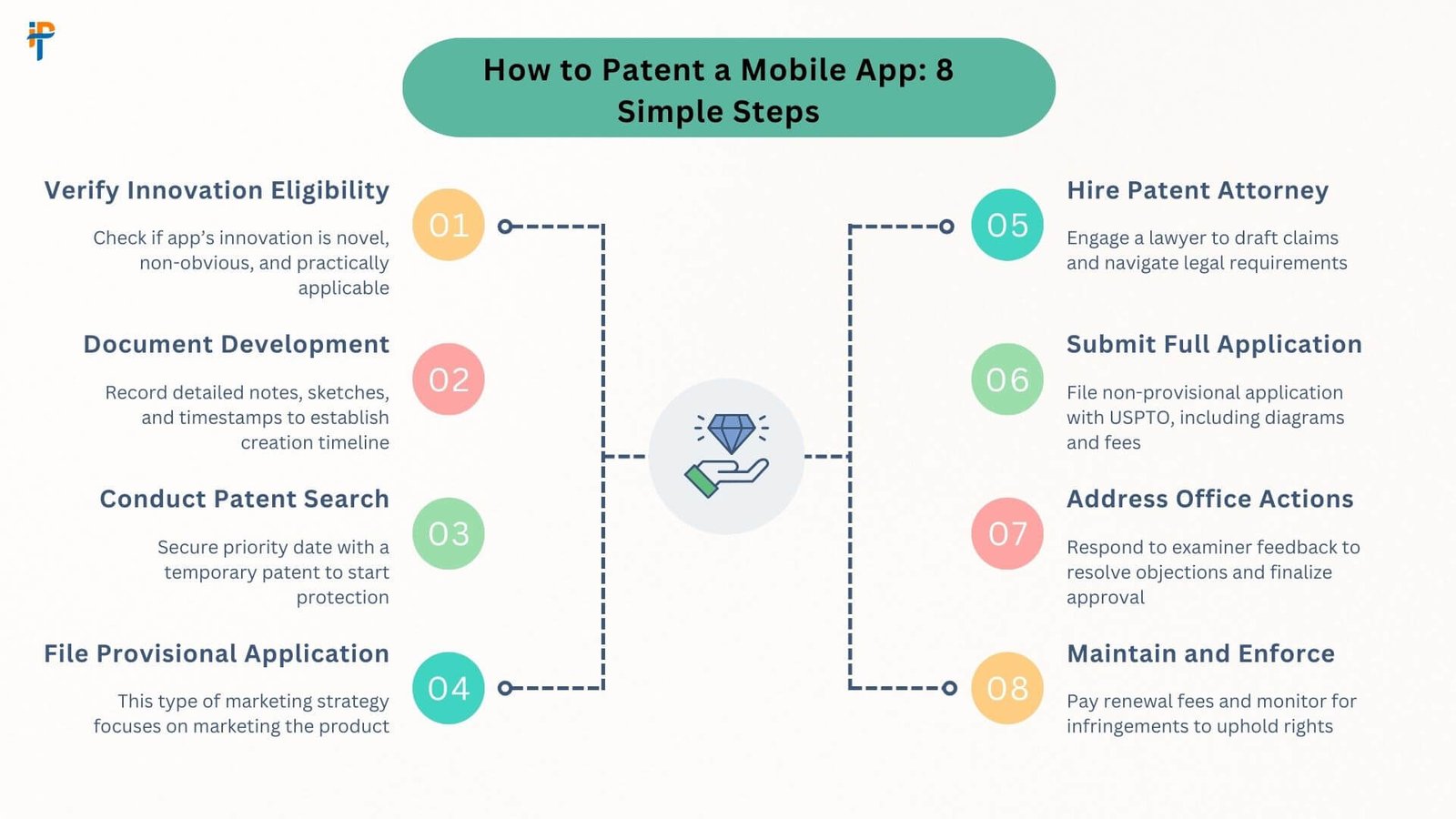
How to Patent a Mobile App: 8 Simple Steps

Have a great mobile app idea? Want to make sure no one steals it? You’re not alone. Many people wonder how to patent a mobile app, but the process can feel confusing at first. Don’t worry — we are going to break it down into 8 simple steps you can follow, even if you’re just starting.

This guide uses clear language and walks you through the mobile app patent process step by step. Let’s get started!
Step 1: Make Sure Your App Can Be Patented

Before doing anything else, you need to see if your mobile app idea is patent eligible. Not all ideas can be patented. Your app must be:

  • New (no one has done it before)
  • Non-obvious (not something that anyone could easily think of)
  • Useful (it must do something helpful)

To check this, the USPTO (United States Patent and Trademark Office) uses something called the Alice Test. This test helps figure out if the software is too abstract or if it has something special.

Quick Tip: Go to Google Patents and search for similar ideas. If you find something very close, your idea might not qualify.

Step 2: Do a Prior Art Search

Now it’s time to see if your idea already exists in any form. This is called a prior art search. You will want to search through older patents and documents to make sure you are not copying something by accident.

Great tools for this:

Pro Tip: Use Boolean search terms like AND, OR, and NOT to narrow down results and find exactly what you need.

Step 3: Write Down Everything About Your App

This is a very important step. You need to document your invention completely. The more details you have, the better.

What to include:

  • A list of what the app does
  • Flowcharts showing how it works
  • Diagrams like user flows or ER diagrams (Entity-Relationship diagrams)
  • Pseudocode (fake code that shows how the app functions)

Alt text example: A simple mobile app user‑flow diagram that shows the steps users take inside your app.

Step 4: File a Provisional Patent (Optional)

If your idea is still in progress, or you’re not ready for a full patent yet, you can file a provisional patent.

  • DIY cost: $70–$300
  • Attorney cost: $2,000–$5,000
  • Good news: This gives you 12 months to say your app is “patent pending.”

During this time, you can build, test, or pitch your idea without worrying about someone else filing it first.

Step 5: File a Non-Provisional Patent Application

This is the full patent application, and it’s required if you want legal protection for your app idea. The application must be detailed and include:

  • Title
  • Abstract (short summary)
  • Claims (what makes your app unique)
  • Specification (full explanation of how your app works)
  • Drawings (visuals to help show the app’s design)

This is where things can get tricky. Many people who try to patent a mobile app idea on their own make mistakes with the claims section.

Step 6: Hire a Patent Attorney

Hiring a patent attorney is highly recommended. They know the rules, how to write strong claims, and how to protect their idea the right way.

Why hire an expert?

  • DIY rejection rate is over 80%
  • Rejections often happen due to vague or weak claims

A lawyer can help write the right words to show why your software is different. This can save you time and money in the long run.

Step 7: Respond to Office Actions

After you send in your application, the USPTO may send you an “office action.” This is a formal letter telling you if there are problems with your application.

Common reasons for rejection:

  • They think the idea is too obvious
  • They found prior art that’s too close to your idea

Don’t worry — you can still respond and amend your claims to explain why your app is different.

How-to: Amend Claims with Differentiating Language

You will need to amend your claims, which means updating the wording to better show what makes your app unique. You can do this by:

  • Adding specific features your app has that others don’t have
  • Explaining how your app solves a problem in a new way
  • Using clear and detailed language to set your idea apart

Example: Instead of saying “a mobile app for scheduling,” you could say “a mobile app that uses AI to create personalized schedules based on user habits and real-time data.

Step 8: Maintain Your Patent

Even after your app gets a patent, your job isn’t done yet. You need to keep the patent active by paying maintenance fees to the USPTO (United States Patent and Trademark Office). These fees help keep your rights legally protected over the years.

Here is when and how much you need to pay:

At 3.5 years:

  • Small entity: $800
  • Micro entity: $400
  • Large entity: $1,600

At 7.5 years:

  • Small entity: $1,800
  • Micro entity: $900
  • Large entity: $3,600

At 11.5 years:

  • Small entity: $3,700
  • Micro entity: $1,850
  • Large entity: $7,400

If you miss a payment, your software patent for apps could expire early, and someone else might legally use your idea.

Reminder: Log in to the USPTO Patent Center and set up email alerts so you don’t forget these important deadlines.

Also Read – How To Develop a Car Rental App Like Udrive in the UAE?

Costs, Timelines, and ROI of Patenting a Mobile App

If you are learning how to patent a mobile app, it’s important to understand the costs, timelines, and the possible return on investment (ROI). Patenting isn’t just about filling out forms — it’s a big part of the mobile app patent process and can help protect your idea and even increase your app’s value.

Quick Comparison: Provisional vs. Non-Provisional vs. Attorney Fees

Type Filing Time Approval Time Cost (DIY) Cost (With Attorney)
Provisional Patent 1–3 months N/A (temporary) $70–$300 $1,000–$3,000
Non-Provisional Patent 3–6 months 2–5 years $400–$900 (filing) $5,000–$15,000+
  • A provisional patent for mobile apps is a lower-cost way to protect your idea while you build or test it. It gives you 12 months to file the full application.
  • A non-provisional patent (often a utility patent) is what gets reviewed and approved by the USPTO.
  • Working with a patent attorney for software raises your chances of approval, especially for complex apps.

Timeline to Patent a Mobile App Idea

  • Provisional Patent: Can be filed in 1–3 months — great if you want fast “patent pending” status.
  • Non-Provisional Patent: Takes around 2 to 5 years to get approved by the USPTO.

The mobile app patent process isn’t quick, but taking the right steps early can save you time later, especially if your app starts growing fast.

What’s the Real ROI?

Wondering if all this effort is worth it? Just look at what happened with Snapchat.

Snapchat patented its ephemeral messaging feature — the disappearing messages we all know. That one software patent for apps became a huge part of what made Snapchat different. Today, it’s a company worth over $24 billion.

Getting a patent helped Snapchat:
  • Stand out in the app market
  • Attract investors
  • Protect its unique feature from being copied

That’s what a good patent can do.

Common Mistakes (And How to Fix Them)

When learning how to patent a mobile app, it is easy to make mistakes, especially if you are doing it yourself. Here are some of the most common errors people make during the mobile app patent process and how to fix them the smart way.
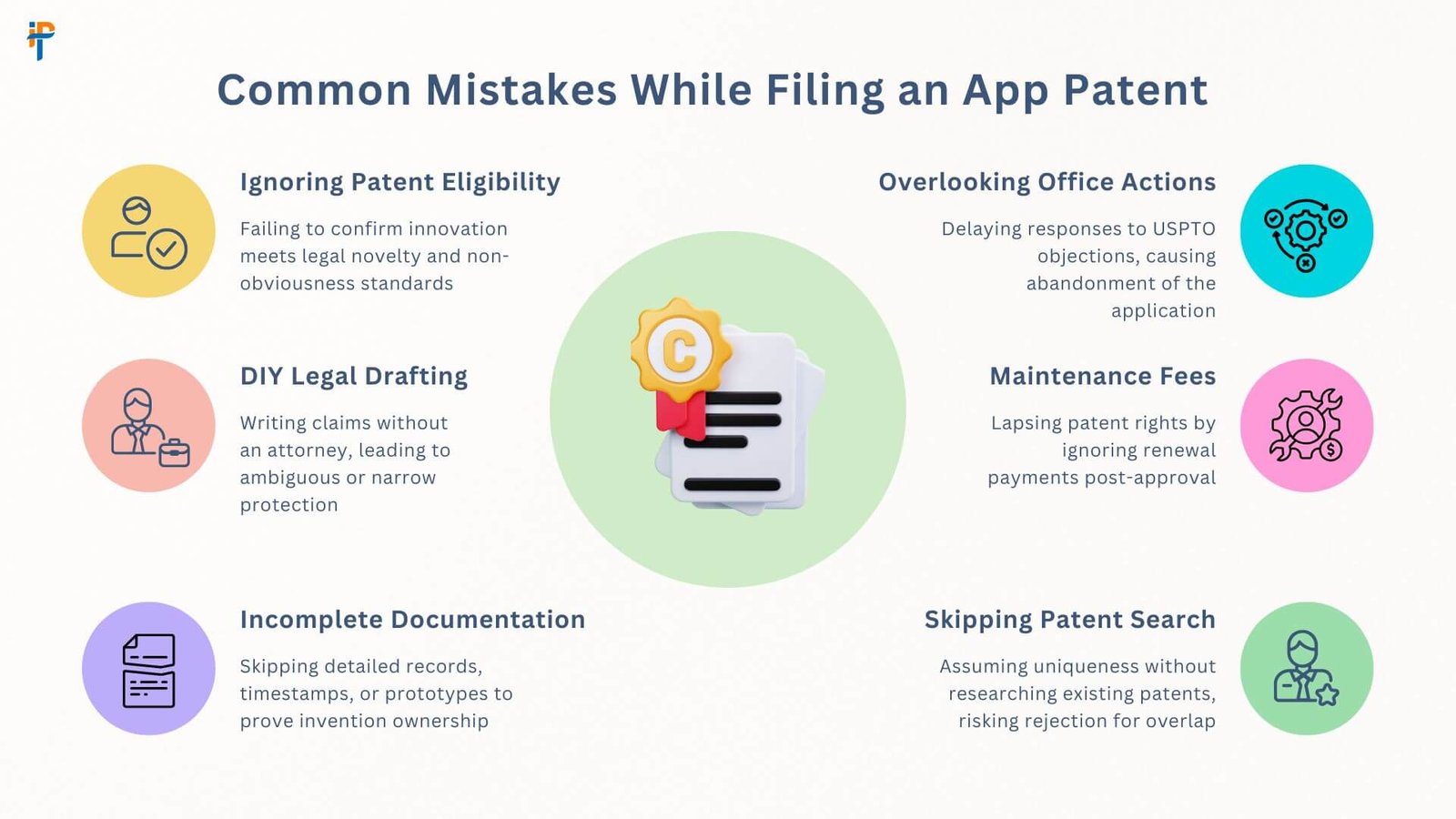
Mistake #1: Overbroad Claims

Many people write their patent claims too wide or too vague. The USPTO often rejects these because they don’t clearly show how the app is different from others.

Fix: Use precise technical terms. Be clear about what your app does and how it works. This is where a patent attorney for software can help by writing claims that are strong and detailed.

Mistake #2: Ignoring Global Markets

Maybe your app is just launching in your country, but what if it becomes popular worldwide? If you only file a patent in one country, others can copy your idea somewhere else.

Fix: File a PCT application (Patent Cooperation Treaty) to start protecting your app internationally. This is a smart move if you believe your app has global potential.

Mistake #3: Missing Deadlines

Even after you’ve filed a provisional patent for mobile apps or a full non-provisional one, the USPTO has strict deadlines. Missing one can lead to a rejected application or even losing your patent.

Fix: Use USPTO automated alerts to remind you when to file or respond. Set calendar reminders for key dates like fee payments, office action responses, or the 12-month deadline after filing a provisional patent.

Also Read – How Kotlin Multiplatform is Transforming Mobile App Development

Alternatives to Patents for App Protection

A patent is one strong way to protect your app, but it’s not the only way. If you are wondering about other ways to guard your idea, here are a few helpful tools:

Copyrights

Covers the code you wrote, as well as graphic elements like your app’s icons, layout, or animations. While this doesn’t stop others from making a similar app, it does stop them from copying your exact work.

Trademarks

Protects your app name, logo, and branding. This stops others from using names or logos that could confuse users.

Trade Secrets

This is useful if your app uses a unique algorithm or data analysis process. You don’t file anything publicly; instead, you protect it by keeping it confidential (like Coca-Cola’s secret formula). Use this when you can’t or do not want to file a patent.

These options can be combined with your software patent for apps strategy to keep your full product safe.

Conclusion

Knowing how to patent a mobile app is not always easy, but it is totally doable if you follow these simple steps. Remember, getting a patent takes time – think about 2 to 5 years for the complete non-provisional patent to be granted. But man, that’s a long time to have your idea protected and possibly become extremely wealthy, like Snapchat!

We also talked about common mistakes, so you can avoid those pitfalls. And don’t forget, while patents are super powerful, there are other ways to protect your app too, like understanding how to Copyright Software Code for your actual code or using trademarks for your app’s name and logo. For those who are also thinking about the infrastructure side of things, remember to look into Cloud Compliance Best Practices to ensure your app’s data and operations are secure and meet industry standards.

Frequently Asked Questions

Can I patent an app idea without code?
No, you can’t patent just an idea. You need a working concept, a prototype, or at least a detailed description showing how the app works. If you’re just starting, a provisional patent for mobile apps can give you time to build and refine it.
How long does a software patent last?
A utility patent, which is the most common type for apps, lasts 20 years from the non-provisional filing date. That’s a long time to protect your idea and earn from it.
Can I patent an app feature?
Yes! If your feature is new, useful, and not obvious, it might qualify. Many companies file patents for small but unique features within their apps.
How long does a mobile app patent take?
After you file your non-provisional patent, the review process takes about 2 to 5 years. That’s why many people start with a provisional patent — it gives them 12 months of “patent pending” time to prepare for the full filing.
Avatar
Lekha Mishra

Verified CEO

About the Author

I'm Lekha Mishra, Co-Founder of IPH Technologies, a 6x award-winning software and mobile solutions provider. My mission is to empower global entrepreneurs by transforming visionary ideas into powerful, market-ready products. We move beyond code to provide strategic insights and a competitive edge, specializing in intelligent solutions powered by AI and ML. I believe in leveraging these technologies to unlock new possibilities, drive growth, and deliver unparalleled value. Let's connect and turn your vision into a lasting legacy.


WhatsApp
Call us
Get a Call Back