Can’t find what you’re looking for? Tell us your needs, and we’ll create a custom solution for you.

Our Achievements
appfutura
BusinessFirms
DesignRush
GoodFirms
ITFirms
iTRate.co
Mobile App Daily
Tech Behemoths

Looking for more insights? Explore our latest blogs, industry trends, and expert tips.

★ Case Study / Manufacturing Technology & CAD/CNC Automation

The Intelligent CNC Panel Designer That Automates Cabinet Design & Cutting

Discover how IPH Technologies built a native macOS CNC Panel Designer application for a leading Australian cabinet manufacturer — automating panel design, parametric calculations, cutting optimisation, and DXF export so designs move from screen to CNC machine without manual conversion.
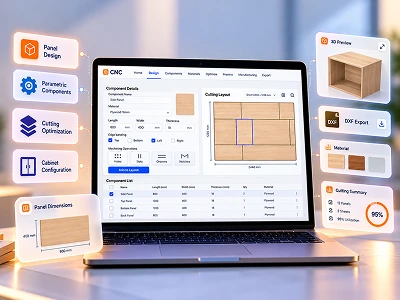
CNC Panel Designer Application Workspace
Zero-Step
Design-to-DXF Export
Real-Time
Parametric Recalculation
Project at a Glance

CNC Panel Designer — Intelligent Panel Design & Cutting Optimisation

A native macOS desktop application that lets cabinet designers build reusable panel templates, generate CNC-ready cutting lists, and export production-ready DXF files — all within a precision visual workspace.


Industry
Manufacturing Technology / CAD & CNC Automation
Client Type
Leading Cabinet Manufacturing Company
Geography
Australia
Platform
Native macOS Desktop Application
Services
Planning · UI/UX · Development · Parametric Engine · DXF Export · Testing · Deployment
Tech Stack
Swift · Node.js · MySQL · AWS EC2 · AWS S3
About the Project

From Manual Calculations to a Precision Design Engine.

In cabinet manufacturing, every millimetre matters and every sheet of material wasted is money walking out the door. Most small and medium-sized manufacturers are still running design and production on a combination of manual calculations, spreadsheets, and disconnected CAD tools that were never built to work together.

IPH Technologies partnered with a leading Australian cabinet manufacturing company to build CNC Panel Designer — a purpose-built desktop application that bridges the gap between cabinet design and CNC production. It takes a designer from an initial brief to a production-ready CNC file, with reusable component libraries, intelligent cutting optimisation, and automated DXF export removing manual work and manual error at every step.

The Problem We Solved

A Precision Trade Running on Manual Workarounds.

Cabinet manufacturing leaves no room for guesswork — so accuracy, automation, and alignment had to be engineered into every layer of the platform.

01
Manual dimension calculations were slow and error-prone — designers were hand-calculating panel sizes, component positions, and cutting dimensions, with even small errors carrying costly consequences on the production floor
02
Material waste was eating into margins — without intelligent cutting optimisation, sheet material was laid out inefficiently, leaving excess offcuts and driving raw material costs higher than necessary
03
CNC file generation was a manual bottleneck — completed designs had to be manually converted into DXF files, a time-consuming step that introduced its own risk of transcription errors
04
Design and production teams weren't aligned — without a centralised platform, designers and production staff worked from different versions of the same information, creating miscommunication and rework
App Screens

See CNC Panel Designer in Action

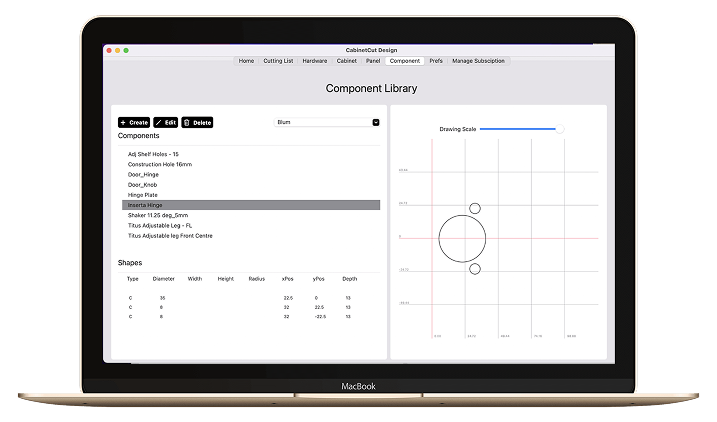
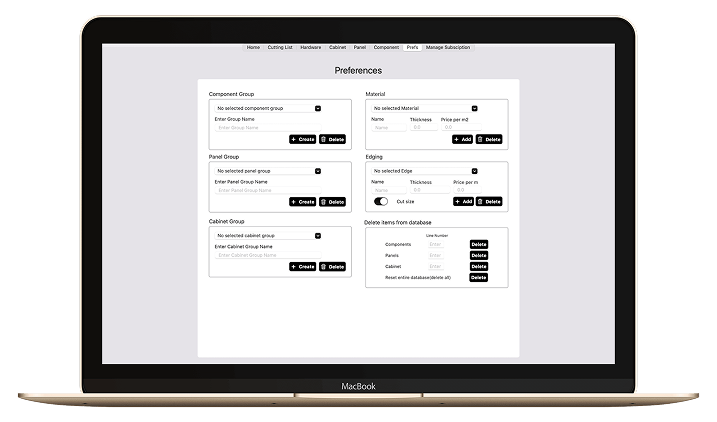
Real screens from the application — the precision design workspace, parametric components, cutting optimisation, and DXF export tools that keep designers and the shop floor in sync.
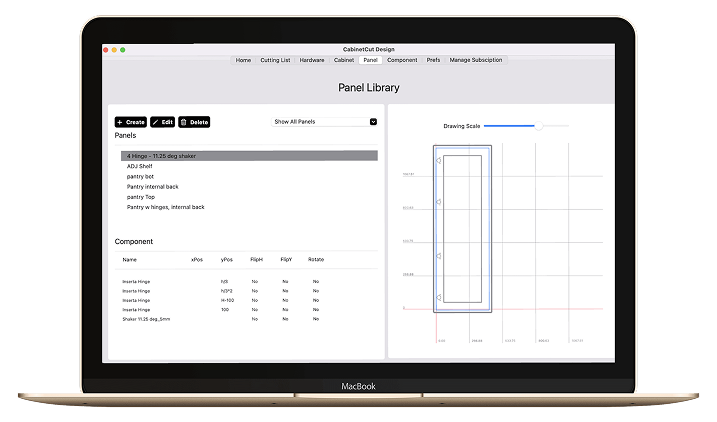
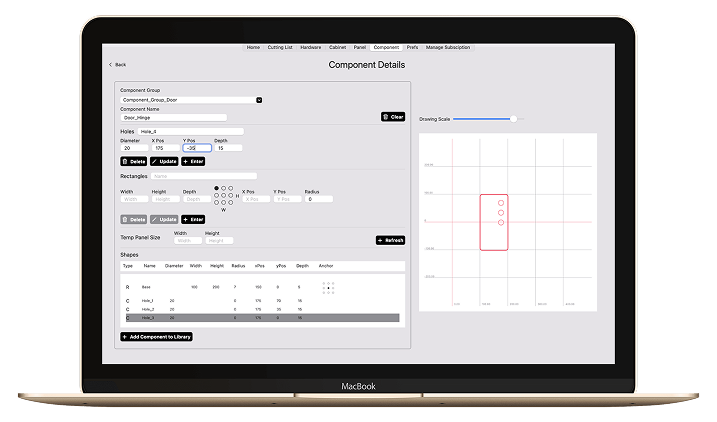
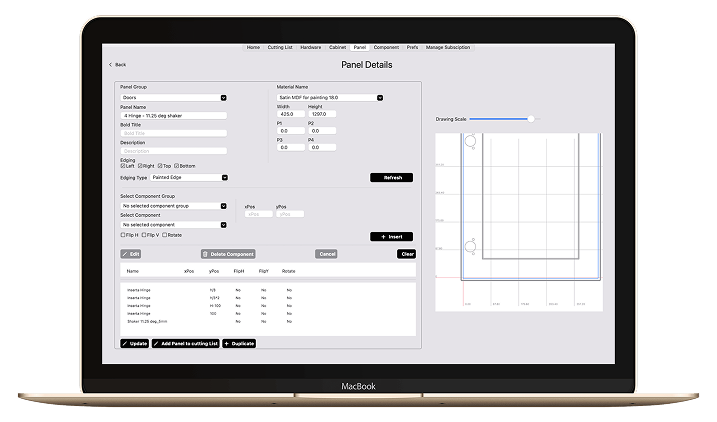
Precision panel design workspace
Parametric component engine
Cutting optimisation layout
DXF export preview
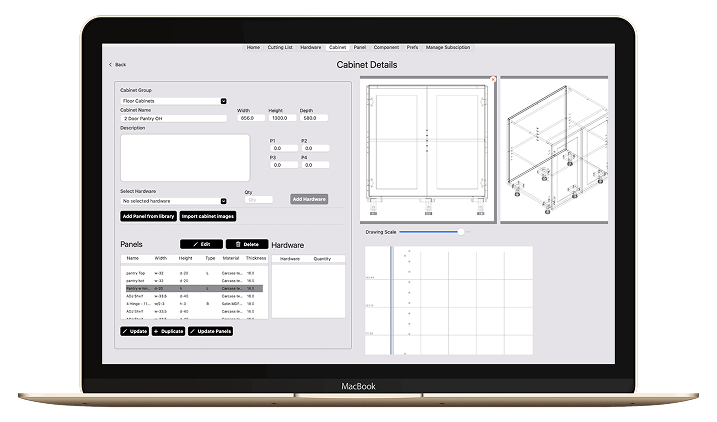
Project management dashboard
What We Built In

Nine Features Built to Remove Manual Work

Every feature was built to directly remove a step from the manual cabinet design and production workflow.

Precision Panel Design Workspace
A live, scalable 2D design environment for panels, components, edge banding, and routing paths — what you see is exactly what goes to the CNC machine.
Real-Time Precision
Parametric Component Engine
Components automatically recalculate dimensions and positions when panel sizes change — no manual recalculation, no risk of mismatched dimensions.
Automated
Reusable Panel, Component & Material Libraries
Build once, reuse across every project — centralised, standardised libraries so designers start from a proven foundation, not a blank canvas.
Centralised Standardised
Intelligent Cutting Optimisation
Analyses the full cutting list and generates sheet layouts that minimise waste and maximise utilisation for every job.
Waste Reduction
Automated DXF Export
Completed designs export directly to CNC-compatible DXF files — no manual conversion, no transcription step, design to machine in a single click.
One-Click
Real-Time Dimension Calculations & Validation
Every dimension is calculated as the designer works, with validation flagging errors before they reach the production floor.
Validation Error Prevention
Centralised Project Management
All jobs, materials, components, and cabinet templates live in one system, keeping designers and production teams aligned.
Alignment
Print-Ready Production Reports
Generate formatted, print-ready production documentation directly from completed designs for the shop floor.
Production-Ready
Project Backup & Restore
Automated cloud backup on AWS S3 ensures no design work is ever lost, with quick restore after hardware failure or accidental deletion.
AWS S3 Automated Backup
Technology Stack

Built on What a Precision Engineering Tool Actually Needs

Native Swift on macOS was the only correct choice for real-time 2D graphics, precision calculations, and a complex visual workspace — a cross-platform framework would have compromised both performance and precision.

🖥️
Swift (macOS Native)
Desktop Application
🎨
Custom 2D Engine
Precision Rendering Engine
🧮
Parametric Engine
Custom Calculation Engine
📐
Optimisation Algorithms
Cutting Layout Optimisation
📤
DXF Export Engine
Automated CAD/CNC File Generation
🟢
Node.js
Backend
🗄️
MySQL
Relational Database
☁️
AWS EC2 + S3
Cloud Infrastructure
🔐
RBAC, TLS, AES-256
Authentication & Security
Our Development Process

How We Built CNC Panel Designer

A structured delivery process — with specialist engineering stages for the parametric design engine, 2D graphics rendering, and DXF generation that made this project technically distinct from standard software builds.

01
Planning & Architecture
We mapped the full application architecture — design workspace, parametric calculation engine, optimisation algorithms, DXF export pipeline, and project management system — before any design or development work started.
02
UI/UX Design
Designing for a manufacturing professional audience is different from designing for a consumer app. We built a workspace with precision, density, and speed, mirroring how experienced designers naturally think about cabinet design.
03
Native macOS Development
Built natively in Swift for macOS — giving direct access to Apple's graphics and UI frameworks for the rendering performance and interface responsiveness a real-time visual workspace demands.
04
Parametric Design Engine
One of the most technically demanding components — components and shapes automatically recalculate dimensions and positions whenever the parent panel size changes.
05
2D Graphics Rendering Engine
A custom precision drawing engine supporting panel visualisation, component placement, drilling patterns, edge banding, and routing paths — accurate to engineering tolerances, not just visually approximate.
06
Cutting Optimisation Algorithm
Intelligent algorithms analyse the full cutting list for a job and generate material layouts that minimise waste and maximise sheet utilisation.
07
DXF Export Engine
Automated DXF file generation validated against industry-standard CAD applications and CNC machine controller software — no manual conversion, no additional steps.
08
Backend & Project Management
Node.js handles project management, synchronisation, user management, and licensing; MySQL manages projects, libraries, materials, and customer information.
09
Cloud Infrastructure
Backend services run on AWS EC2, with AWS S3 handling secure storage of project files, DXF exports, design resources, and automated cloud backups.
10
Testing & Quality Assurance
Extensive validation of the parametric engine and cutting calculations — dimensional accuracy, edge cases, DXF compatibility, optimisation performance, security, and backup/restore, all completed before release.
11
Deployment
The macOS application was packaged and deployed with full installation documentation, user guidance, and post-launch support infrastructure in place.
The Outcome

Design Smarter. Cut Faster. Manufacture With Precision.

CNC Panel Designer delivered a measurable transformation in how the client's manufacturing workflow operates.

Faster
Design time dramatically reduced through parametric components and reusable libraries
Less Waste
Material waste significantly reduced through optimised, sheet-maximising cutting layouts
1-Click
Manual CNC conversion eliminated with automated, single-click DXF export
Fewer Errors
Production errors minimised through real-time dimensional validation at the design stage
Aligned
Design and production teams aligned via centralised libraries and print-ready reports
Scalable
A platform that handles increasing job volumes without increasing manual overhead
Built by IPH Technologies

Your Long-Term Technology Partner

IPH Technologies turns bold ideas into intelligent, high-impact digital products — from precision native desktop tools to Agentic AI systems that think, decide, and act.

Manufacturing Tech // End-to-End Delivery

We Turn Vision
Into a Live Product.

Whether you're a manufacturer digitising a manual workflow or an enterprise integrating AI into your core operations, we build technology that works as hard as you do. Agile execution, transparent communication, and a relentless focus on engineering accuracy — not just software.

500+
Projects Delivered
430+
Satisfied Clients
5-9mo
Typical Delivery Timeline
→ We start with the problem, not the code.
→ We map every workflow, tolerance, and data flow before any design begins.
→ We build precision and security into the architecture from day one.
→ We architect for tomorrow — new modules won't require a rebuild.
Swift (macOS) Node.js MySQL AWS Parametric Engine DXF Export
FAQ

Frequently Asked Questions

A CNC panel design application is specialist desktop software for cabinet manufacturers, woodworking businesses, and CNC machining workshops. It replaces manual calculations, spreadsheets, and disconnected CAD tools with a unified platform for designing cabinet panels, optimising material layouts, and generating CNC-ready production files directly from the design workspace.
A precision engineering design tool has performance requirements that web-based applications struggle to meet. Real-time 2D graphics rendering, parametric calculations updating instantly, and DXF file generation all benefit significantly from native macOS development in Swift, which provides direct access to Apple's graphics frameworks and system resources.
DXF (Drawing Exchange Format) is the industry-standard file format for transferring design data between CAD applications and CNC machine controllers. Exporting DXF files directly means the design process output can feed straight into the CNC machine without manual conversion, eliminating a time-consuming step and the errors that come with it.
Parametric design means components are defined by relationships and rules rather than fixed dimensions. When a parent dimension changes, such as a cabinet panel width, all child components automatically recalculate their own dimensions and positions — so a designer can resize a cabinet and have the entire interior update correctly in seconds.
Yes. We have experience building precision desktop applications, CAD-adjacent tools, and industrial software across manufacturing, engineering, and construction technology.
Yes. The DXF export engine was built specifically for compatibility with industry-standard CAD applications and CNC machine controllers. Integration with existing production equipment is a core requirement of this type of application, not an optional feature.
A project of this complexity — precision graphics engine, parametric calculation engine, optimisation algorithms, DXF export, and cloud backend — typically takes between 5 and 9 months from planning to deployment, depending on feature scope and integration requirements.

Want to Build a System Like This?

If your design team is still working around the limitations of manual calculations or disconnected CAD tools, we know how to build it right.

Get a Free Consultation
WhatsApp
Call us
Get a Call Back