









































































































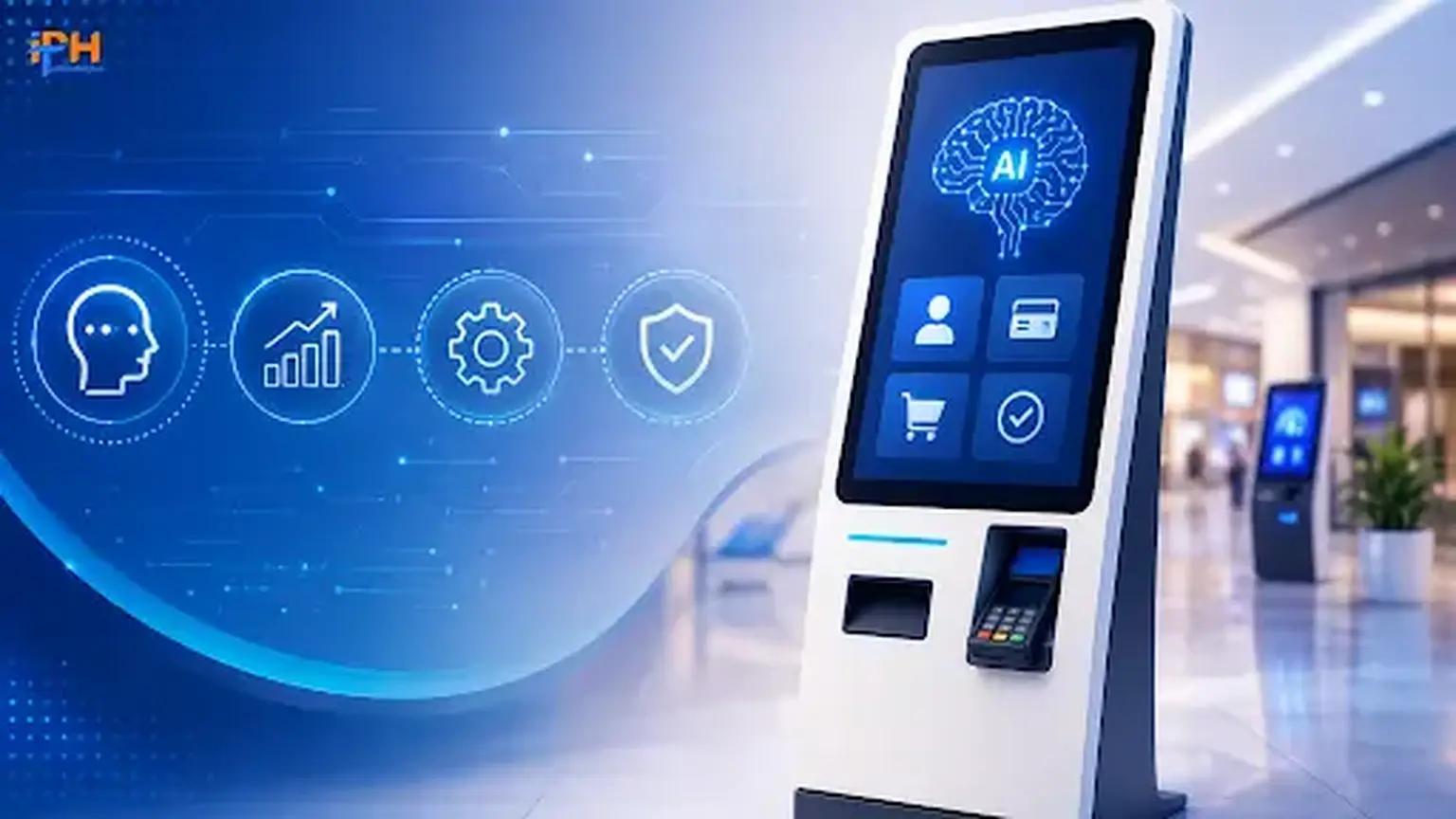
Walk into any airport, hospital, fast-food restaurant, or bank branch today, and you’ll notice something telling: the line at the counter is shorter than the line at the kiosk. That’s not a coincidence, it’s a market shift that’s been building for years and has now hit critical mass.
The numbers speak for themselves. The world kiosk software market is set to grow to around $6.9 billion in 2026, climbing to $13.8 billion by 2034, representing a compound annual growth rate of over 11%. Some analysts are even projecting a CAGR of up to 20% or more, driven by the adoption of AI, cloud-based management and the redefinition of the very concept of a kiosk. The message to businesses is clear: self-service is no longer an optional extra but rather the new norm.
If you are thinking about investing in kiosk software development services for your business, then this year is the time to do it, since the difference between a generic and a bespoke kiosk is becoming apparent every day.
What’s Actually Changing in Kiosk Software Right Now
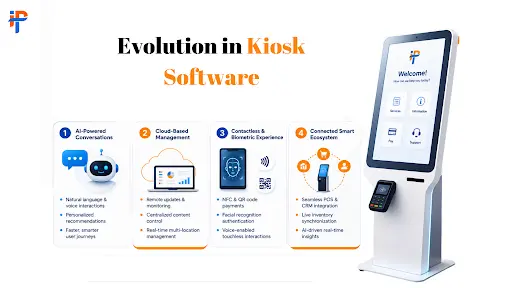
A kiosk in 2020 was, frankly, a glorified touchscreen menu. A kiosk built in 2026 looks and behaves very differently. Three shifts stand out.
1. Generative AI and conversational interfaces are replacing button-mashing.
The traditional kiosk experience was built around menus, buttons, and rigid navigation paths. AI is changing that model. Modern kiosks can understand natural language, answer questions, guide users through complex processes, and even personalize interactions based on context.
For businesses, this means a kiosk can become more than a transaction terminal. It can function as an intelligent assistant that helps customers complete tasks faster and with less frustration.
2. Cloud-based fleet management is now table stakes.
Managing one kiosk is relatively simple. Managing hundreds of kiosks across different locations is an entirely different challenge.
Cloud-based kiosk platforms allow businesses to remotely monitor devices, deploy software updates, manage content, track performance, and identify problems without sending technicians to every location. This becomes particularly important when kiosks operate across multiple cities, stores, hospitals, airports, or other high-traffic environments.
Read More: AI Agent Mobile App Development in 2026
3. Contactless and biometric interaction are becoming standard, not optional.
Touchless interaction, QR-based workflows, facial recognition, fingerprint authentication, and other biometric technologies are expanding what kiosks can do. These capabilities can reduce friction while also enabling more secure identity verification and personalized services.
However, adding these technologies isn’t simply a matter of connecting an API. The kiosk software needs to handle security, privacy, hardware compatibility, error states, and fallback workflows properly.
Why “Off-the-Shelf” Kiosk Software Keeps Falling Short
Pre-built kiosk platforms can look attractive at first. They can be cheaper, faster to deploy, and relatively easy to configure. But once a business has specific workflows, integrations, branding requirements, or security needs, the limitations often become obvious.
Security gaps.
Public-facing devices require a different security model from conventional business applications. Weak authentication, outdated dependencies, exposed APIs, or poor device lockdown can create significant risks.
Clunky UX that kills conversions.
A kiosk needs to be extremely easy to use. Confusing navigation, unnecessary steps, slow responses, or interfaces that aren’t designed specifically for touch can quickly lead to abandoned transactions.
Instability under real-world load.
A kiosk deployed in a busy airport, restaurant, or hospital cannot afford frequent crashes or performance issues. Software needs to be tested against real-world usage patterns, unreliable networks, and long operating hours.
Weak hardware integration.
Kiosks often depend on peripherals such as payment terminals, receipt printers, barcode scanners, cameras, card readers, and biometric devices. Generic platforms may not provide the flexibility required to integrate these components properly.
This is where custom kiosk software development becomes valuable. Instead of forcing the business workflow into a pre-existing platform, custom software can be designed around the actual customer journey, hardware environment, integrations, and operational requirements.
What Great Kiosk Software Development Actually Involves
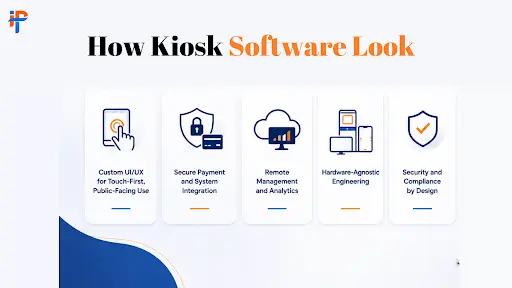
Custom UI/UX for Touch-First, Public-Facing Use
Kiosk interfaces need to be designed differently from desktop or mobile applications. Users may be standing, moving quickly, unfamiliar with the interface, or interacting with the device in a noisy public environment.
That means large touch targets, clear navigation, minimal steps, readable typography, fast feedback, and accessible interaction patterns are essential. The goal is to make the correct action obvious without requiring users to learn how the system works.
Secure Payment and System Integration
A modern kiosk rarely operates as an isolated application. It may need to communicate with payment gateways, POS systems, CRM platforms, inventory systems, booking engines, enterprise applications, identity services, and other third-party APIs.
The software architecture needs to handle these integrations securely while maintaining a consistent user experience. Payment processing, authentication, data transmission, and sensitive information should be designed with security and compliance requirements in mind.
Remote Management and Analytics
Once kiosks are deployed, businesses need visibility into how they are performing.
Remote monitoring can provide information about device health, application status, transaction volumes, error rates, usage patterns, and other operational metrics. With centralized management, teams can identify issues, push updates, and manage kiosk content without physically visiting each device.
Hardware-Agnostic Engineering
A successful kiosk solution should not become unnecessarily dependent on one hardware configuration.
Hardware-agnostic engineering makes it easier to support different displays, scanners, printers, cameras, payment devices, and other peripherals as the business expands. This can make future hardware upgrades and deployments considerably easier to manage.
Security and Compliance by Design
Security should be built into the kiosk architecture from the beginning rather than added after development.
Depending on the use case, this can include device lockdown, secure authentication, encrypted communication, role-based access, secure payment processing, data protection, logging, monitoring, and compliance requirements relevant to the industry.
Where Kiosks Are Delivering the Biggest Wins
Kiosk technology is no longer limited to simple check-in or payment terminals. Businesses across multiple industries are using self-service technology to reduce queues, improve operational efficiency, and give customers greater control over routine interactions.
✓
Retail
Retailers use kiosks for self-checkout, product discovery, inventory lookup, ordering, returns, loyalty programs, and personalized customer experiences.
✓
Healthcare
Hospitals and clinics can use kiosks for patient check-in, appointment management, payments, wayfinding, registration, and other administrative workflows.
✓
Hospitality
Hotels and other hospitality businesses can use kiosks for self-check-in, check-out, guest services, payments, and information access.
✓
Banking and Financial Services
Financial institutions can use self-service terminals for customer onboarding, account services, identity verification, document processing, and other routine banking interactions.
✓
Travel and Aviation
Airports and transportation providers can deploy kiosks for check-in, boarding-pass printing, baggage services, identity verification, and passenger information.
✓
Food Service
Restaurants and quick-service businesses are increasingly using self-ordering kiosks to reduce queues, increase ordering efficiency, and give customers greater control over menu customization.
Conclusion
Kiosk software development in 2026 is at the confluence of a variety of factors. The technology underlying the kiosks, from artificial intelligence to cloud-based fleet management and biometric and contactless payment technologies, has evolved to the point where it can be implemented in a cost-effective manner. Meanwhile, customer expectations are at a premium: they want to do business on their own terms, as easily and as quickly as possible, and will walk away at the first sign of inconvenience.
Businesses that leverage their kiosk software as their proprietary strategic product rather than purchasing off the shelf are the ones that reap the rewards of increased staff productivity, after hours revenue, and customer loyalty these self-service stations promise.
IPH Technologies builds custom kiosk software solutions engineered for exactly this moment — secure, hardware-agnostic, cloud-managed, and designed around the way your business actually operates, not a generic template. Get a free kiosk software consultation and see what a purpose-built self-service platform could do for your operation.
Questions to Ask Before Choosing a Kiosk Software Development Partner
Do they build custom software or configure a pre-built platform?
Custom built kiosk software allows a company to take advantage of more flexibility and brand differentiation than a prebuilt platform that is less expensive and quicker to set up but comes with limited customization options.
What's their experience with compliance requirements like PCI-DSS and HIPAA?
A qualified partner should be able to demonstrate experience with PCI-DSS for payments processing or HIPAA for healthcare data, rather than give a generic list of what they believe to be compliance requirements.
How does the software handle offline resilience?
Offline resilience: the ability to continue functioning despite a loss of network connectivity, is one of the easiest ways to tell the difference between a team that has real field deployment experience, and one that just builds demos.
What does post-launch support include?
Since kiosks operate independently in public places, post-launch support should provide maintenance, updates, and prompt technical assistance and response to hardware or software failures.
Can the architecture scale from a single pilot to a full fleet?
To scale from one pilot kiosk to a multi-location fleet, a different technical architecture is required. The most prudent partners develop for both architectures from the beginning, to prevent having to rework an expensive system later.










.png)