

















How to add the Spotify Login Button to your iOS easily using a ViewController with a WebView.
Lets get started!
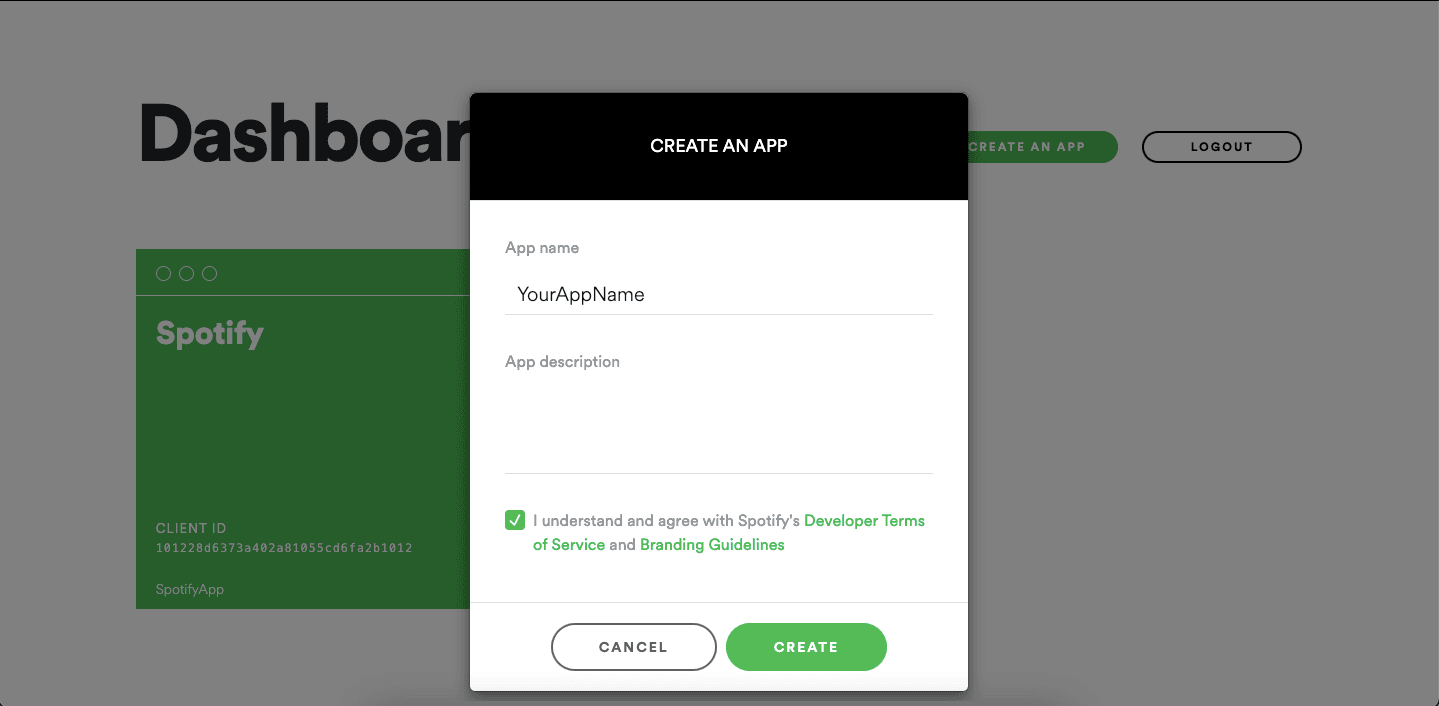
Next, create a new app by tapping the box.
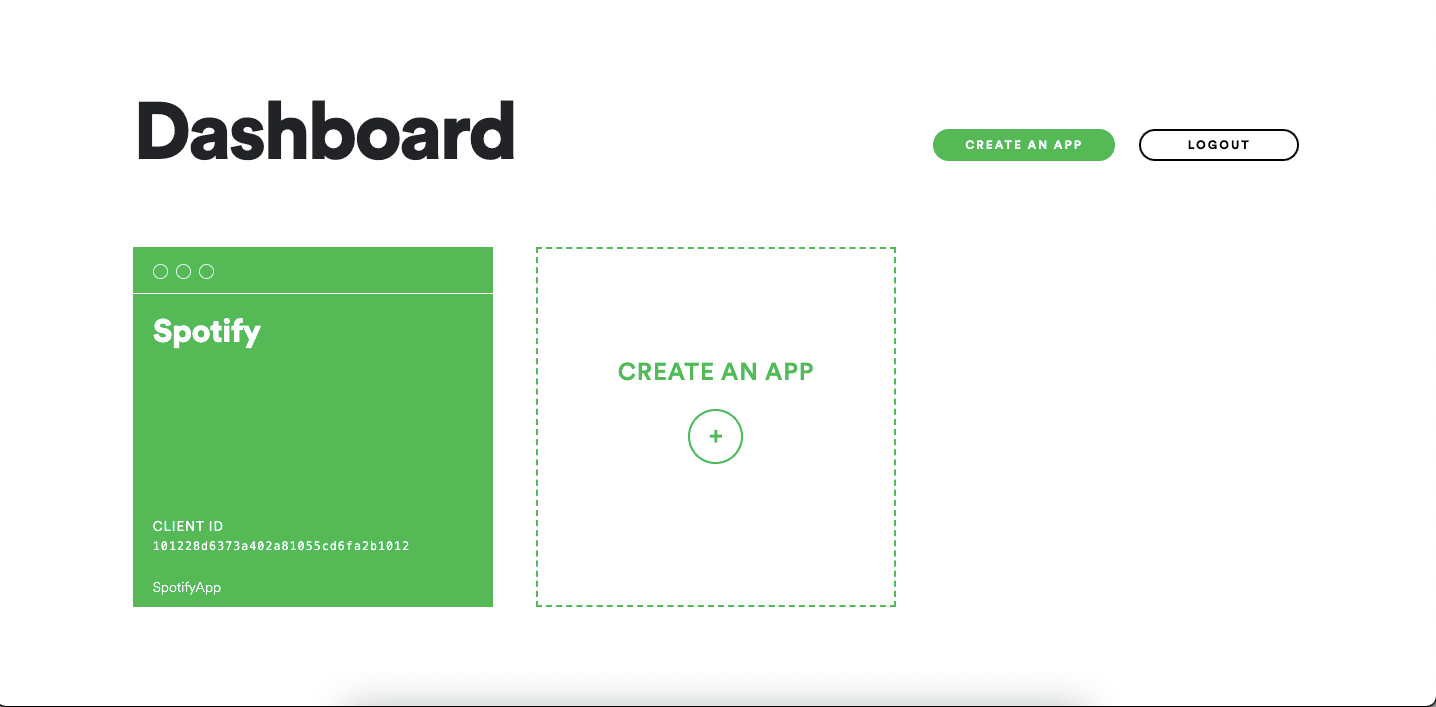
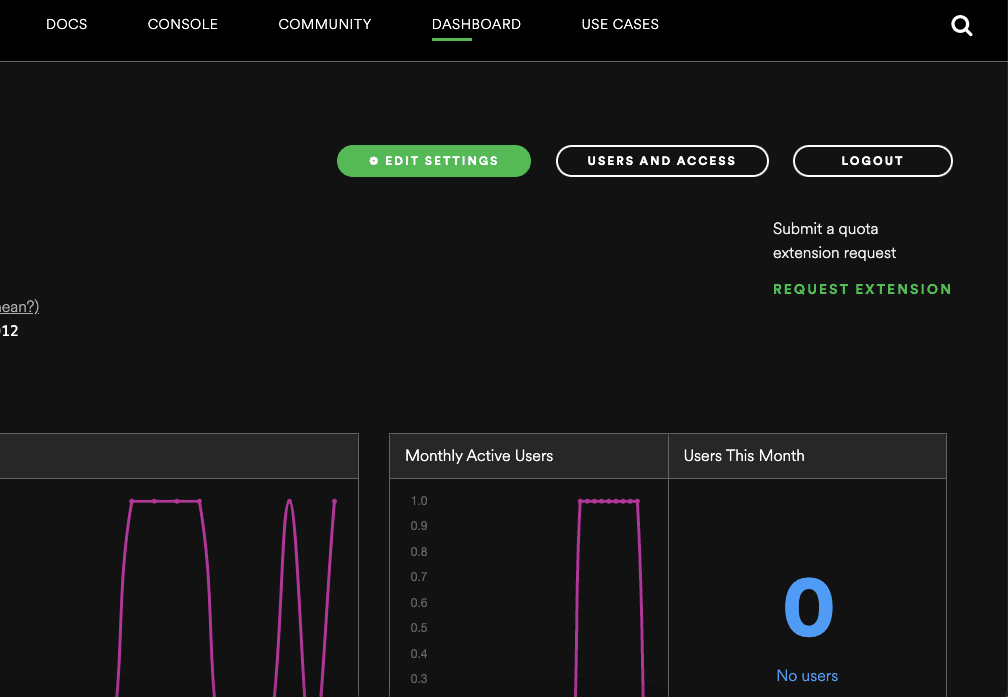
After creating your App . You go to the dashboard of your app, go to EDIT SETTINGS
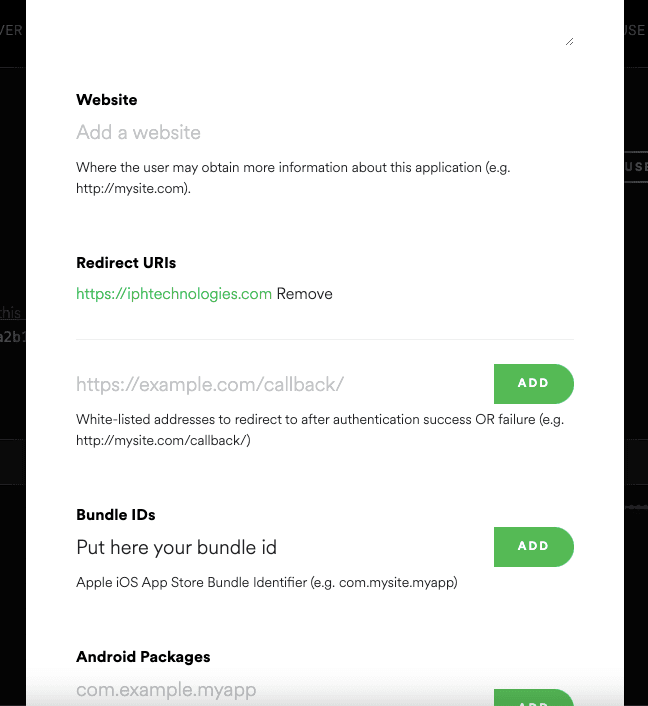
In the new window, add your website (if you have one), as Redirect URIs add the name of your app and at the end add :// , for this example is spotifysigninexample://, and lastly, in Bundle IDs add your Bundle Bundle Identifier and press SAVE
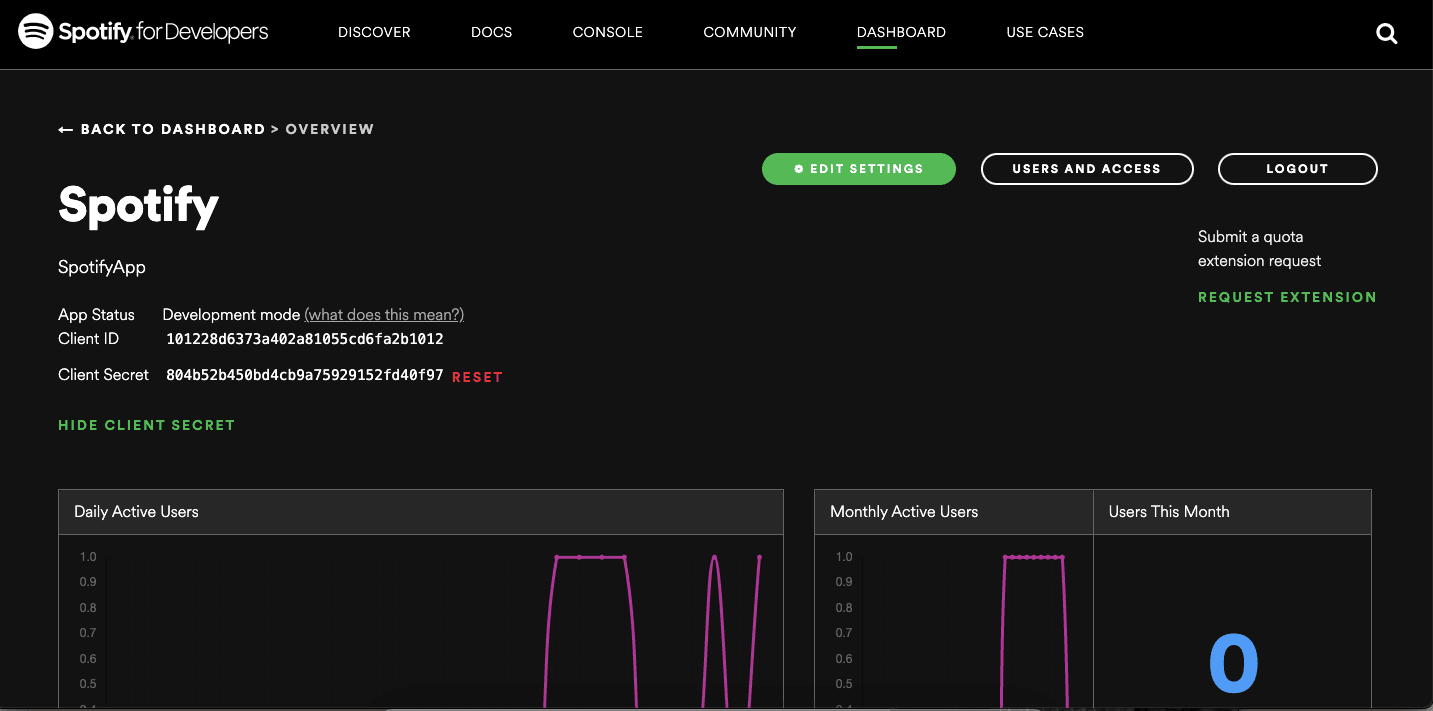
After filling all the information in the editing setting. You have show client id and client secret
Creating the Spotify Login Button UI On Welcome page
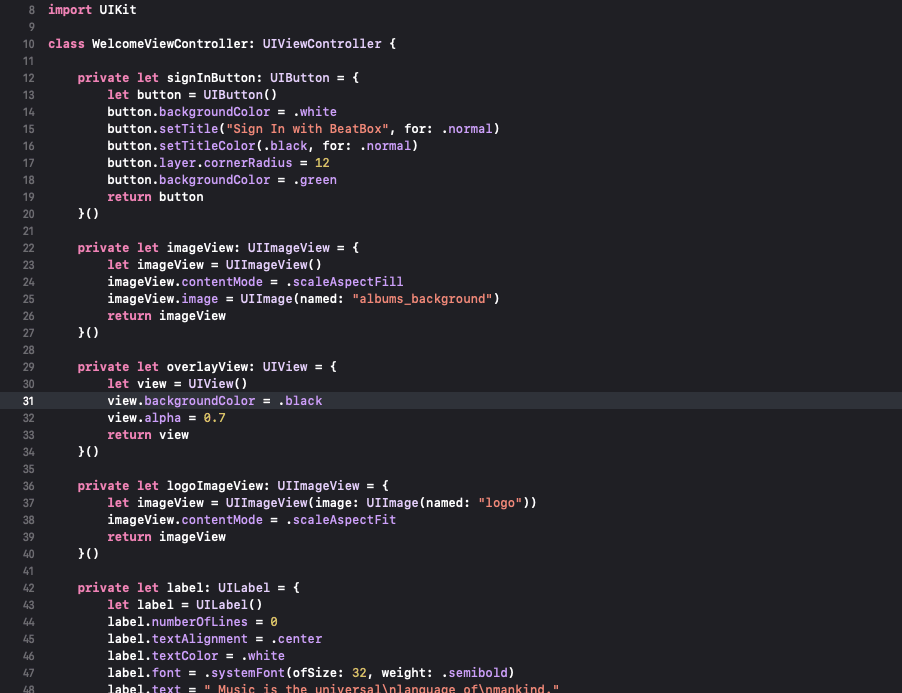
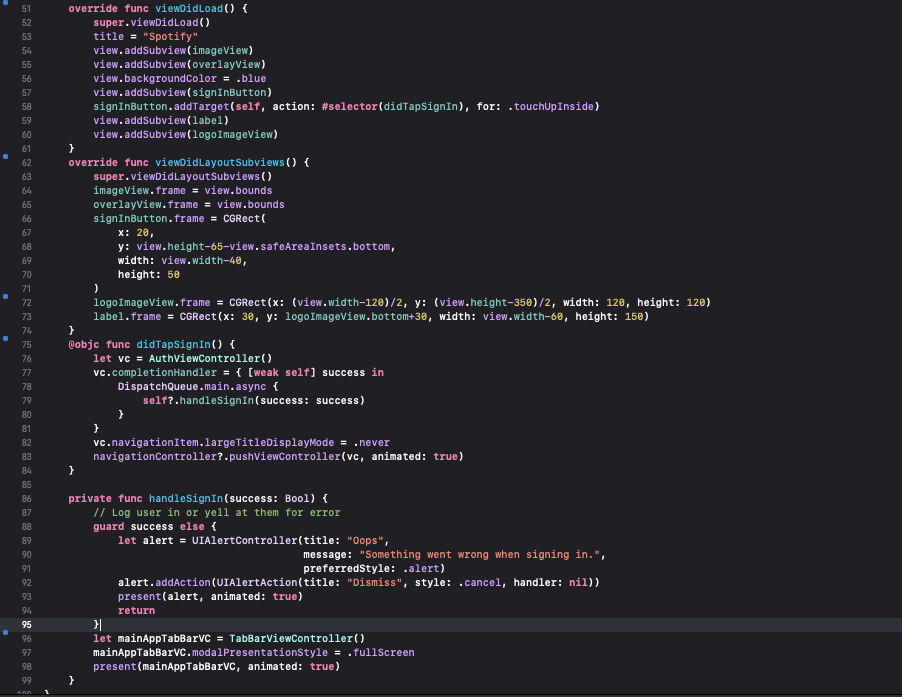
After Implementing above welcomeController code and run this code you to see welcome screen UI like this-

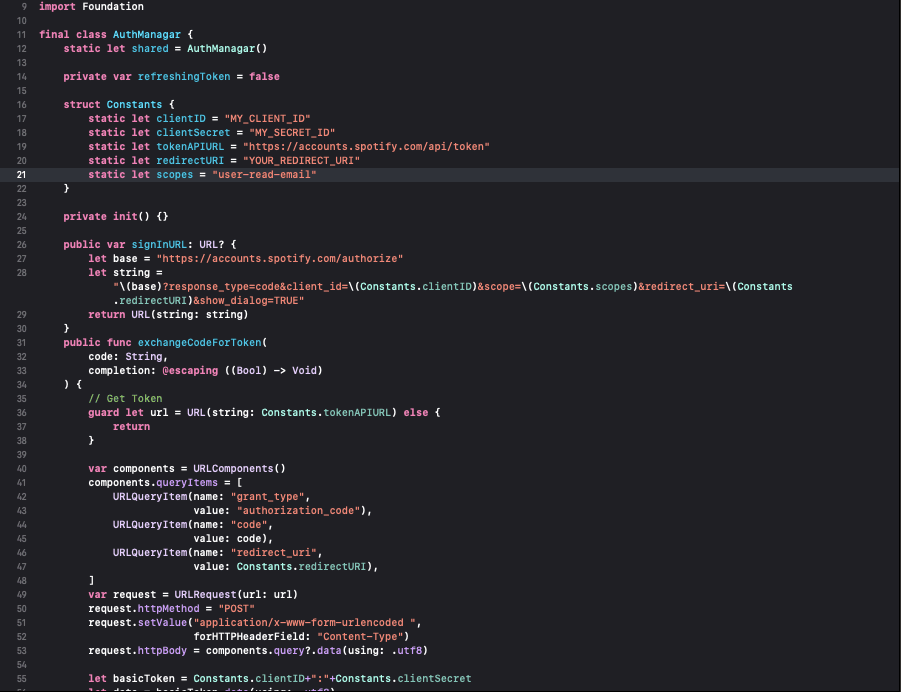
Create a new swift file to put the AuthManager.swift file
Paste the following code inside.
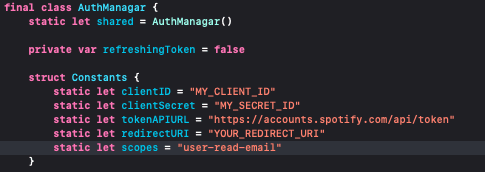
And Replace clientId and redirectURI with Your.
Here, we use the scope user-read-email to get the user’s email address. You can see more about other scopes here(Documentation).
Here create New ViewController (AuthManager) step up authentication and following this code:-
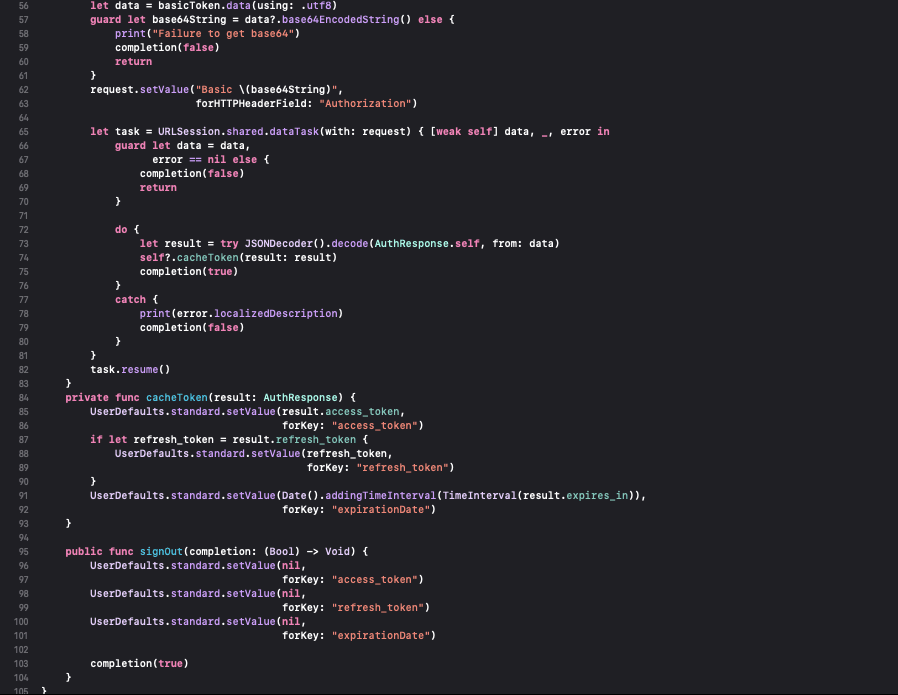
Next, create a new CocoaTouch file AuthViewController.swift with a WebView and add webView delegate is WKNavigationDelegate and following this code
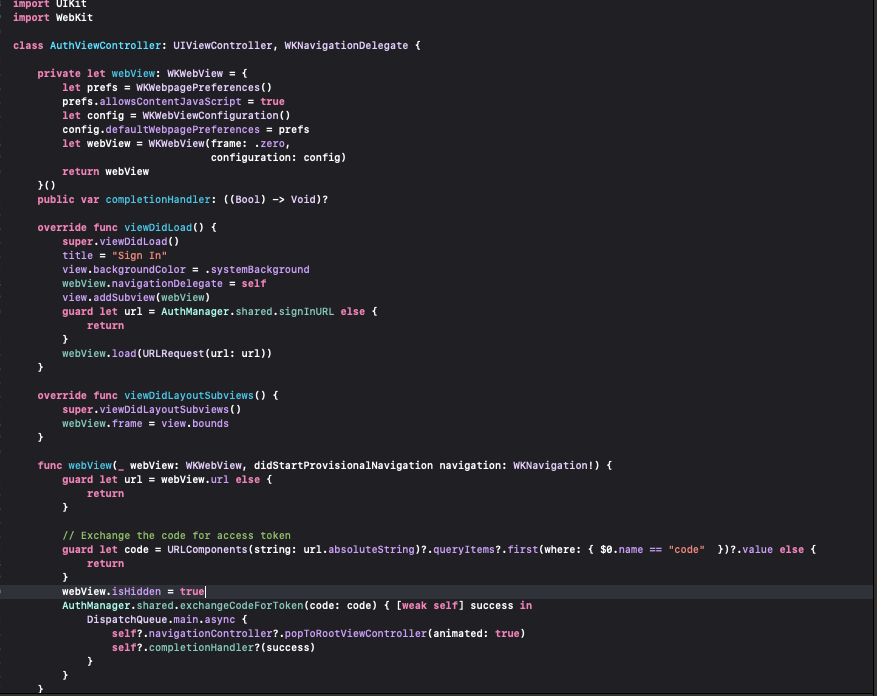
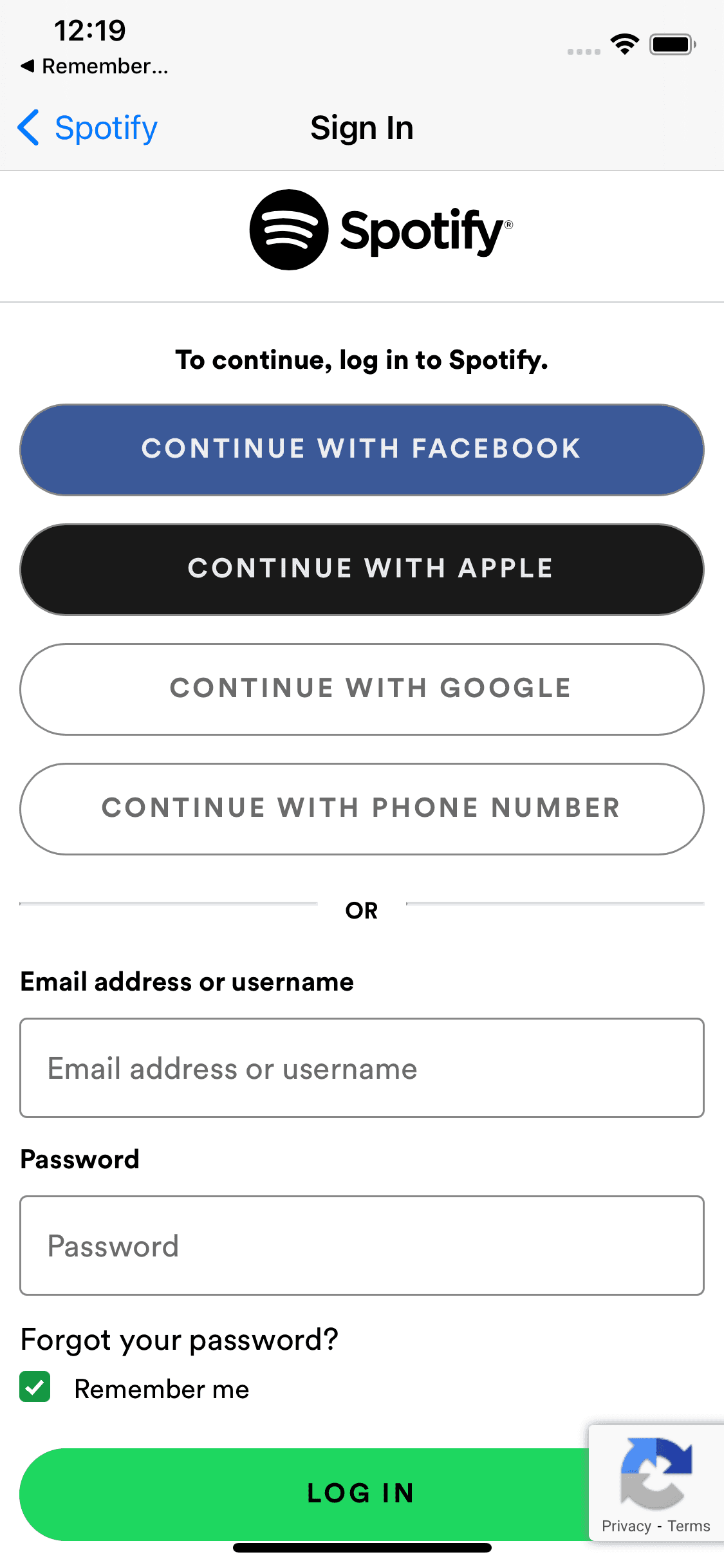
After implementing all the above code and go to final results click on sign button and go through the webview in look the signUp screen of Spotify webpage.