








































































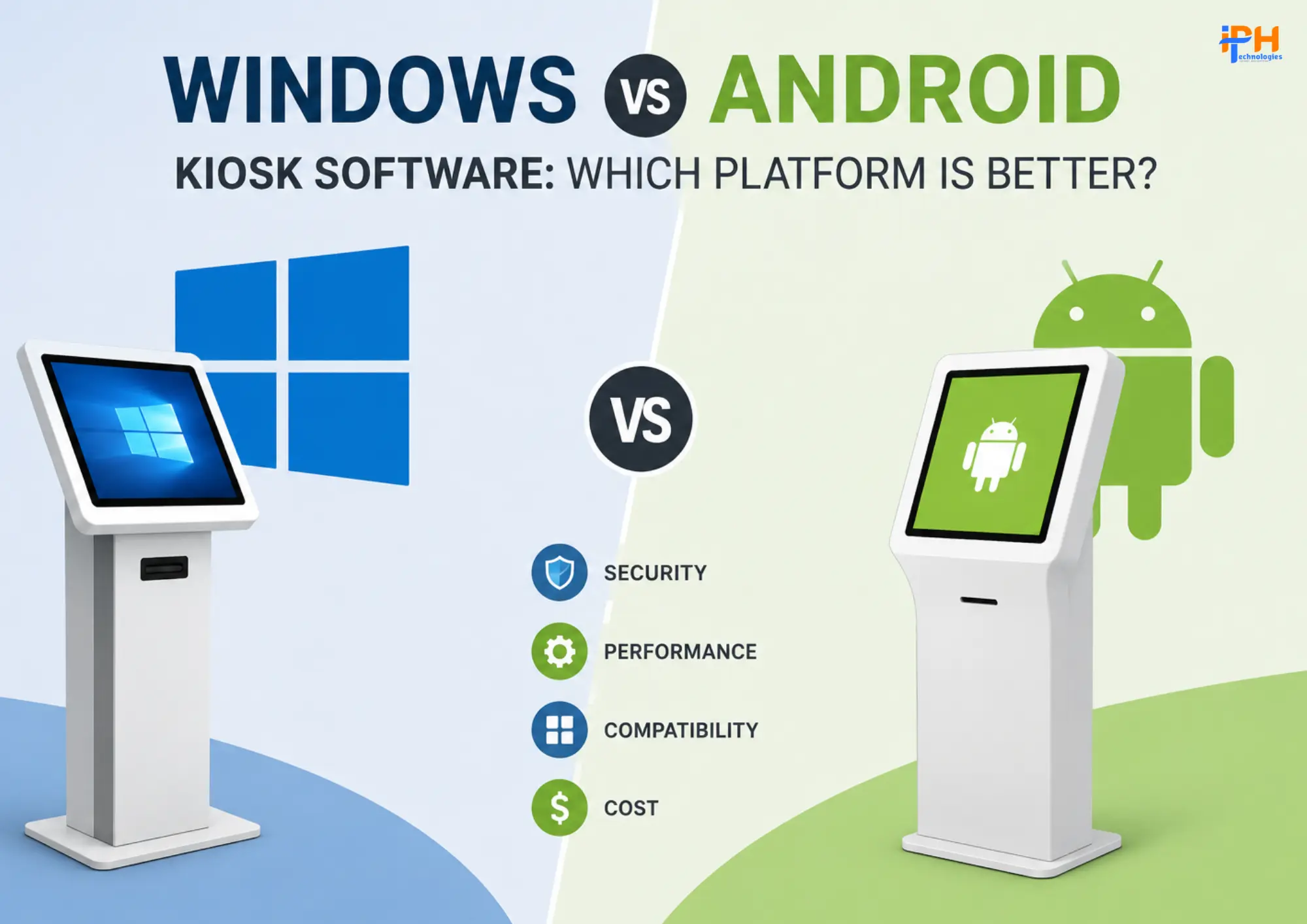
Windows vs Android Kiosk Software: Which Platform Is Better
Kiosk software has become an essential technology for businesses that want to provide customers with self-service, interactive, and automated experiences. From retail stores and healthcare facilities to airports, banks, restaurants, and educational institutions, touchscreen kiosks are helping businesses reduce operational costs while improving customization customer engagement.
However, choosing the right operating system is an important decision. Windows and Android are two of the most widely used platforms for kiosk software, and each offers different advantages in terms of security , hardware compatibility, management, and cost.
So, which platform is better for kiosk applications: Windows or Android?
The answer depends on your business requirements, hardware environment, application complexity, and long-term deployment strategy.
What Is Kiosk Software?
Kiosk software transforms a computer, tablet, or touchscreen device into a dedicated self-service terminal. Instead of allowing users to access the complete operating system, kiosk software restricts the device to specific applications or functions.
Common kiosk applications include:
- Self-service ordering systems
- Digital check-in and registration
- Retail self-checkout
- Patient check-in kiosks
- Banking and financial kiosks
- Ticketing and payment terminals
- Interactive digital displays
- Hotel and airport check-in
- Employee attendance systems
- Educational and information kiosks
A well-designed kiosk solution can also include device monitoring, remote management, user authentication, analytics, payment integration, and centralized content management.
Also Read: WWDC 2026: Apple Intelligence and What Developers Can Expect
Windows vs Android Kiosk Software: Quick Comparison
Windows Kiosk Software
Windows kiosk software is ideal for businesses that need advanced customization, enterprise integrations, and extensive hardware compatibility. It works well with existing Windows applications, POS systems, databases, scanners, printers, and other specialized peripherals.
Android Kiosk Software
Android kiosk software is a strong choice for businesses looking for affordable hardware, touch-friendly interfaces, and flexible deployment options. It is particularly suitable for self-ordering, digital displays, visitor management, retail, and other touchscreen-focused applications.
Which One Is Better in Windows vs Android Kiosk Software?
Windows is better for complex enterprise and industrial kiosk solutions, while Android is often better for cost-effective, touch-first deployments. The right platform ultimately depends on your application requirements, hardware, integrations, security needs, and deployment scale.
The important point is that platform security alone does not guarantee a secure kiosk. Application architecture, device configuration, network security, authentication, update policies, and remote monitoring all contribute to the overall security of the system.
Also Read: What Is Multimodal AI? Business Leader’s Guide & Use Cases
Which Platform Is More Cost-Effective?
Android generally has an advantage when the primary objective is minimizing hardware and deployment costs.
For example, a business deploying hundreds of simple information or ordering kiosks may prefer Android because affordable touchscreen hardware is widely available.
Windows can have a higher overall hardware and licensing cost, but it may provide better value when the kiosk needs complex enterprise integrations or specialized Windows-compatible software.
Therefore, the cheapest platform is not necessarily the most cost-effective platform.
The total cost should consider:
Hardware + Software + Development + Licensing + Maintenance + Remote Management + Security + Support
Windows or Android: Which Should You Choose?
There is no universal winner.
Choose Windows if you need:
- Complex enterprise applications
- Existing Windows software integration
- Advanced peripheral support
- Microsoft ecosystem integration
- Legacy application compatibility
- Industrial or enterprise workflows
- Sophisticated backend integrations
Choose Android if you need:
- Affordable kiosk hardware
- Touch-first experiences
- Simple or moderately complex applications
- Large-scale deployment
- Mobile application compatibility
- Flexible Android hardware
- Cost-efficient self-service solutions
Also Read: Leading Kiosk Software Development Services Company Delivering Innovative Self-Service Solutions
Can a Kiosk Solution Support Both Windows and Android?
Yes
For organizations serving different hardware environments, a cross-platform kiosk application can be an effective approach.
For example, the same backend can power:
Windows Kiosk + Android Kiosk + Web Admin Panel + Cloud Backend
This approach can provide centralized management while allowing businesses to use different hardware based on location and requirements.
A cross-platform architecture can also make future expansion easier because businesses are not completely dependent on a single device ecosystem.
Build a Custom Kiosk Software Solution with IPH Technologies
Choosing between Windows and Android is only the first step. A successful kiosk solution also requires secure application architecture, intuitive UI/UX, hardware integration, remote device management, backend APIs, analytics, and ongoing support.
At IPH Technologies, we develop custom software and application solutions for businesses, including kiosk applications, AI-powered solutions, mobile applications, web platforms, and enterprise software.
With experience across 500+ projects and 430+ clients worldwide, our team can help businesses design and develop scalable kiosk software tailored to their hardware, industry, and business requirements.
Whether you need a Windows kiosk, Android kiosk, or cross-platform solution, the right architecture can turn a simple touchscreen into a powerful self-service business tool.
Final Verdict: Windows or Android Kiosk Software
Android is generally a strong choice for affordable, touchscreen-focused, and large-scale kiosk deployments.
Windows is often a better choice for complex enterprise environments that require extensive software, hardware, and business-system integration.
The best platform ultimately depends on what your kiosk needs to accomplish.
If you’re building a self-service ordering kiosk, retail kiosk, healthcare check-in system, digital signage solution, visitor management kiosk, or industrial kiosk, selecting the right platform at the beginning can significantly impact development costs, performance, security, and long-term scalability.








.png)